
Everything You Need to Show
Store Stock Clearly
Clear guides to help you set up, customise, and
get the most out of Kark
Getting Started
Widget Options
Inventory Display Options
Location Options
Online Availability Options
Geolocation Search
Incoming Inventory
Advanced Styling & Customization
Add the product inventory widget via code
You can modify your theme to include the product inventory widget on the product pages. This may be necessary if you are using a particularly outdated theme or need to position the widget in a unique way to accommodate advanced scenarios.
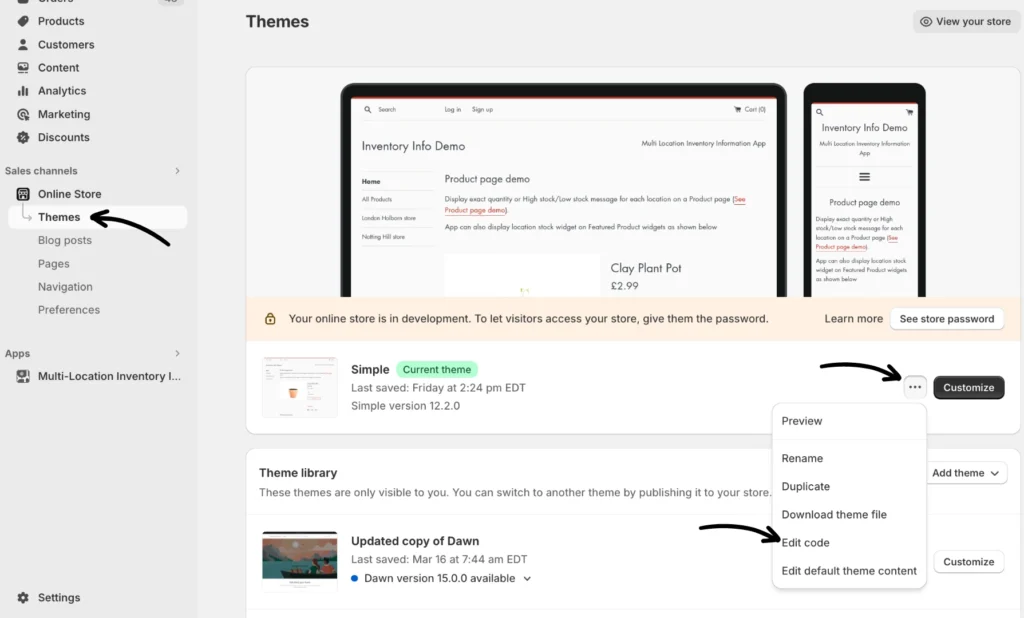
Step 1: Navigate to Sales channels > Online Store > Themes. Click the three-dot menu button (…) to the left of “Customize” and choose Edit code.
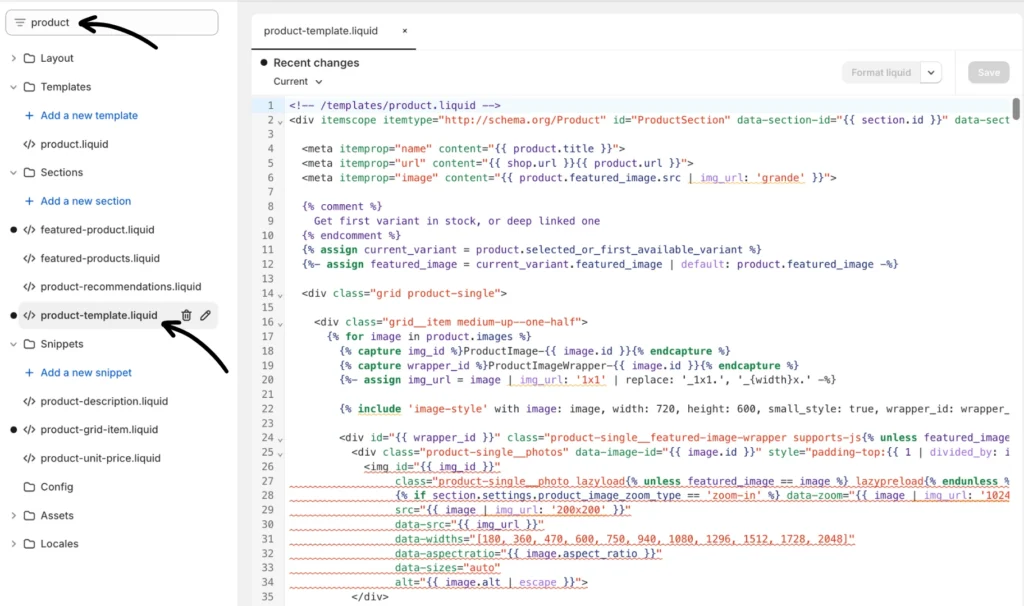
Step 2: In the theme editor search for “product” or “product-template” depending on your theme. Below is an example of Shopify’s Simple theme “product-template.liquid” file:
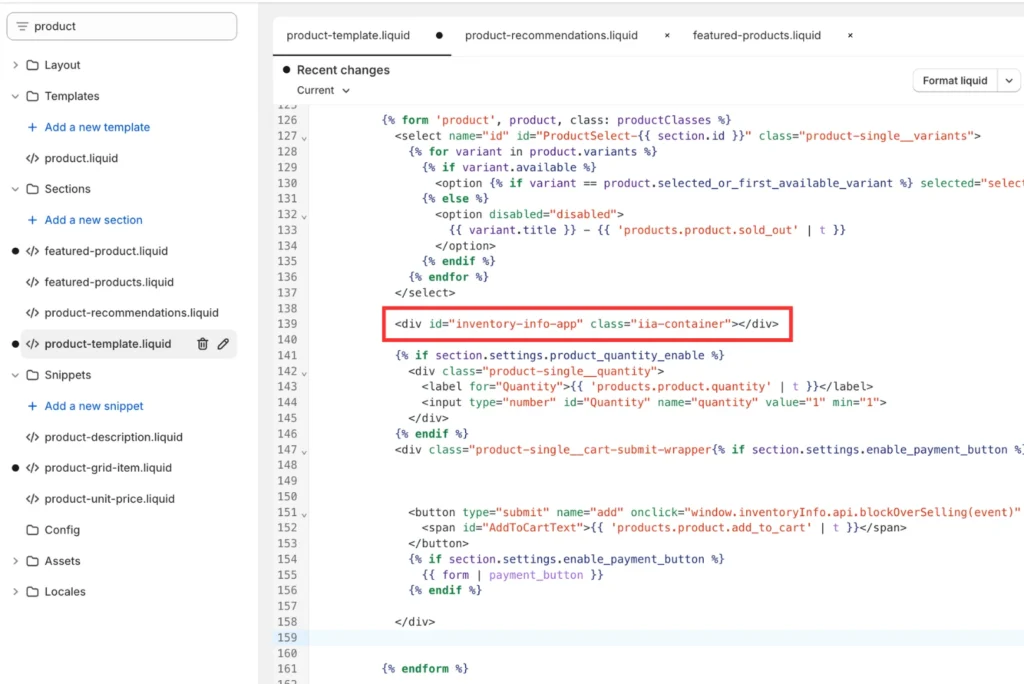
Step 3: Insert the following code at an appropriate location in the product liquid file and save your changes.
<div id="inventory-info-app" class="iia-container"></div>
The screenshot below shows the app widget just above the quantity selector in the Simple theme:
If you need help, reach out to our support team.