Hide the location address and phone number
You can easily hide location addresses and phone numbers on your product page widget if you prefer not to display them.
Hide the location address & phone number
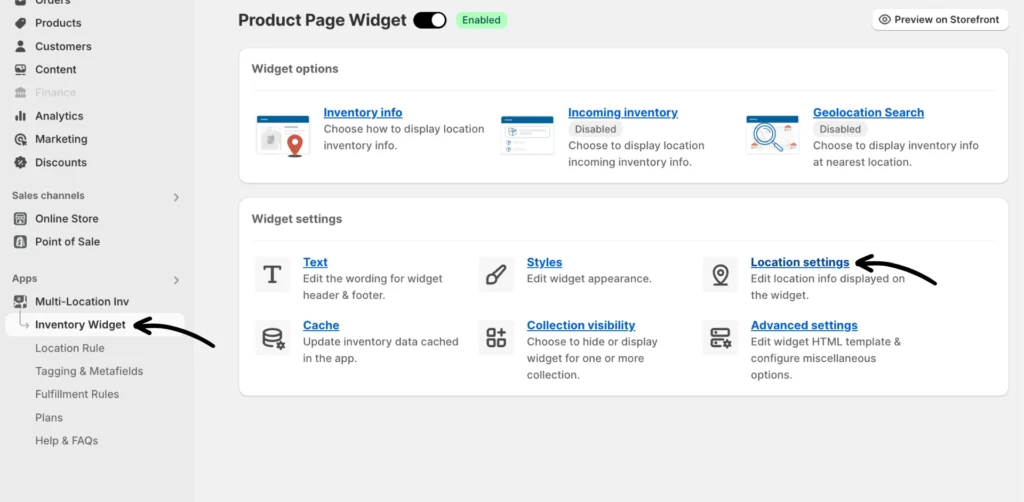
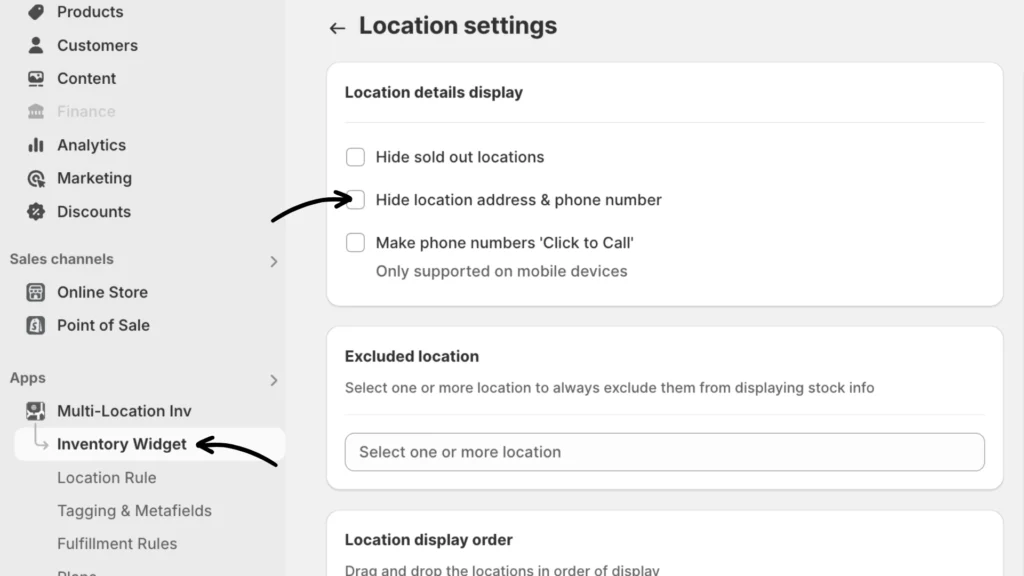
Navigate to Inventory Widget > Location settings in the app.
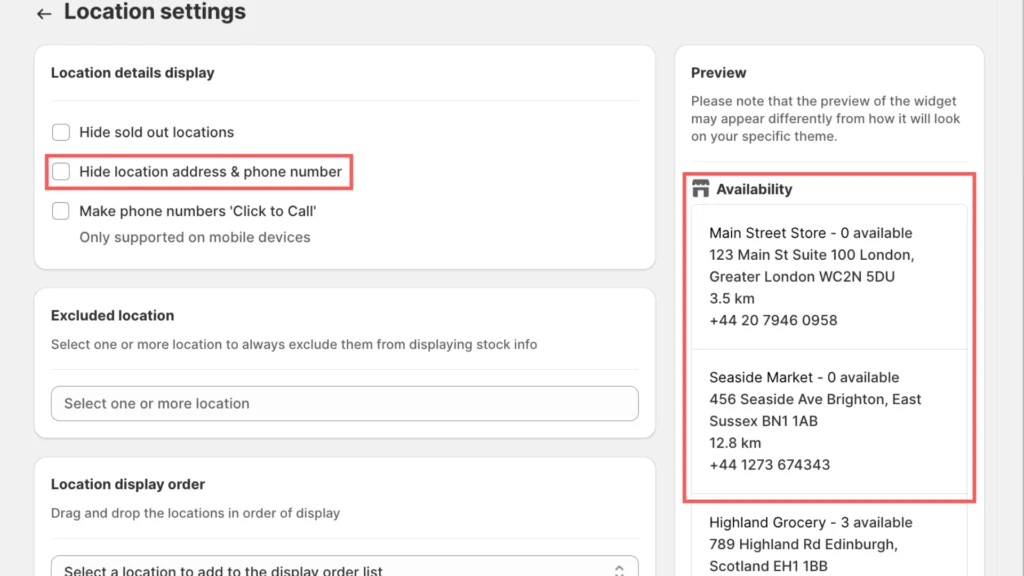
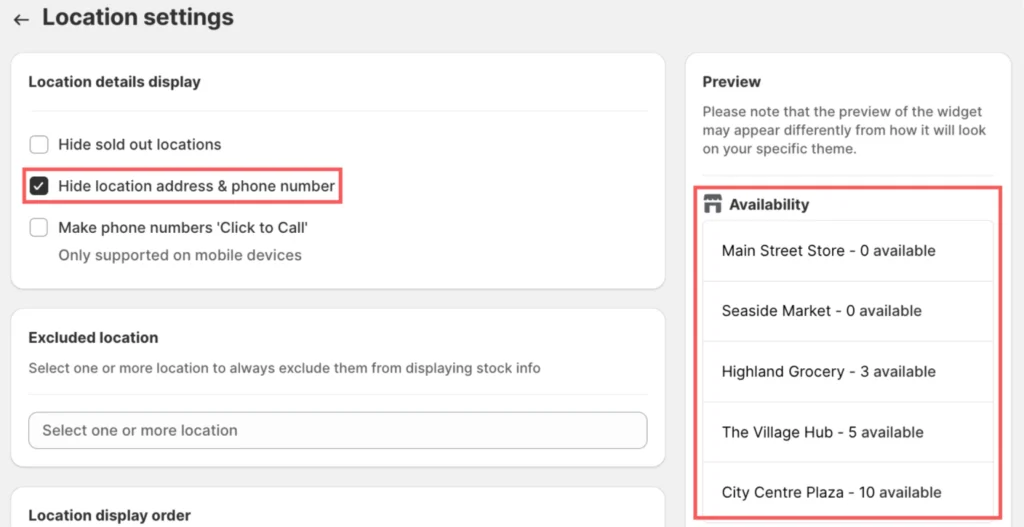
To hide these details, look under “Location details display” and check the Hide location address & phone number box.
Preview
Before enabling the option:
After enabling the option:
If you encounter any issues, don’t hesitate to contact our support team for further assistance.