
Getting Started
Widget Options
Inventory Display Options
Location Options
Online Availability Options
Geolocation Search
Incoming Inventory
Advanced Styling & Customization
Set Widget as an expandable widget
When your product page becomes crowded with details, you might want to consider displaying the Location Inventory info within an expandable widget.
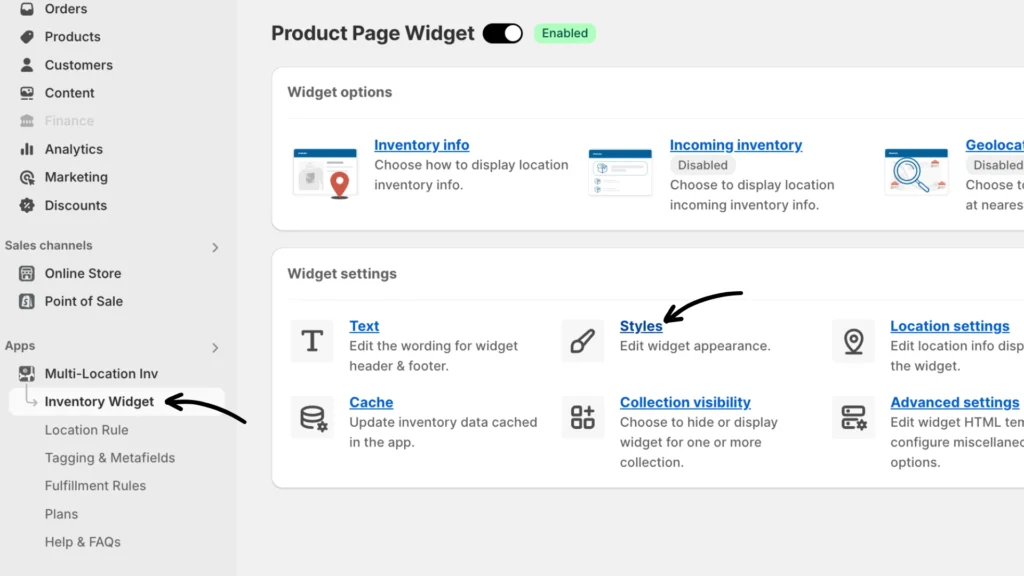
Step 1: From your Shopify Admin page navigate to Apps > Multi-Location Inventory Info > Inventory Widget > Styles.
Step 2: Under Styles, check the Enable Expandable widget box within the Show as an Expandable widget menu.
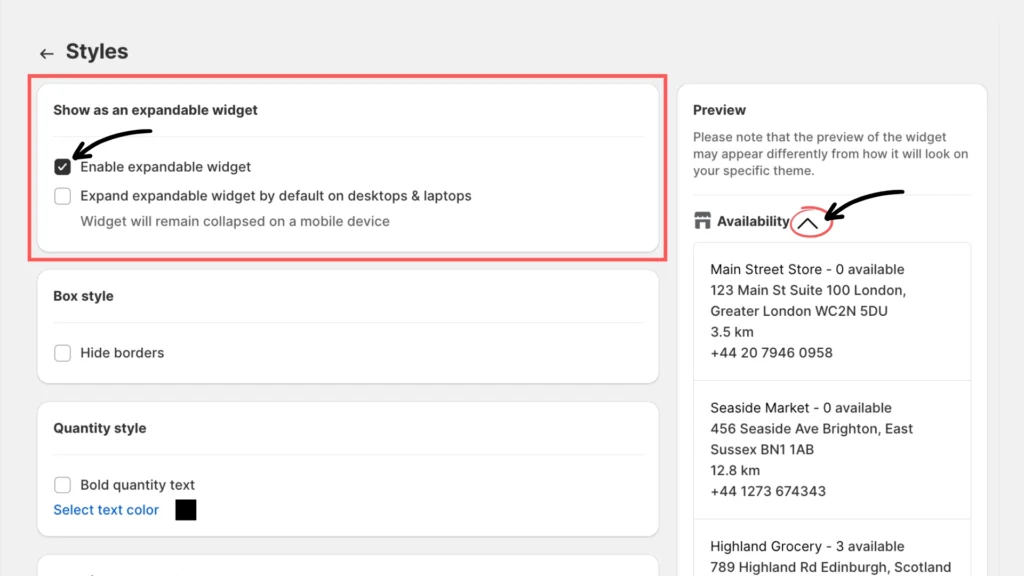
Step 3: Click Save to apply the setting.
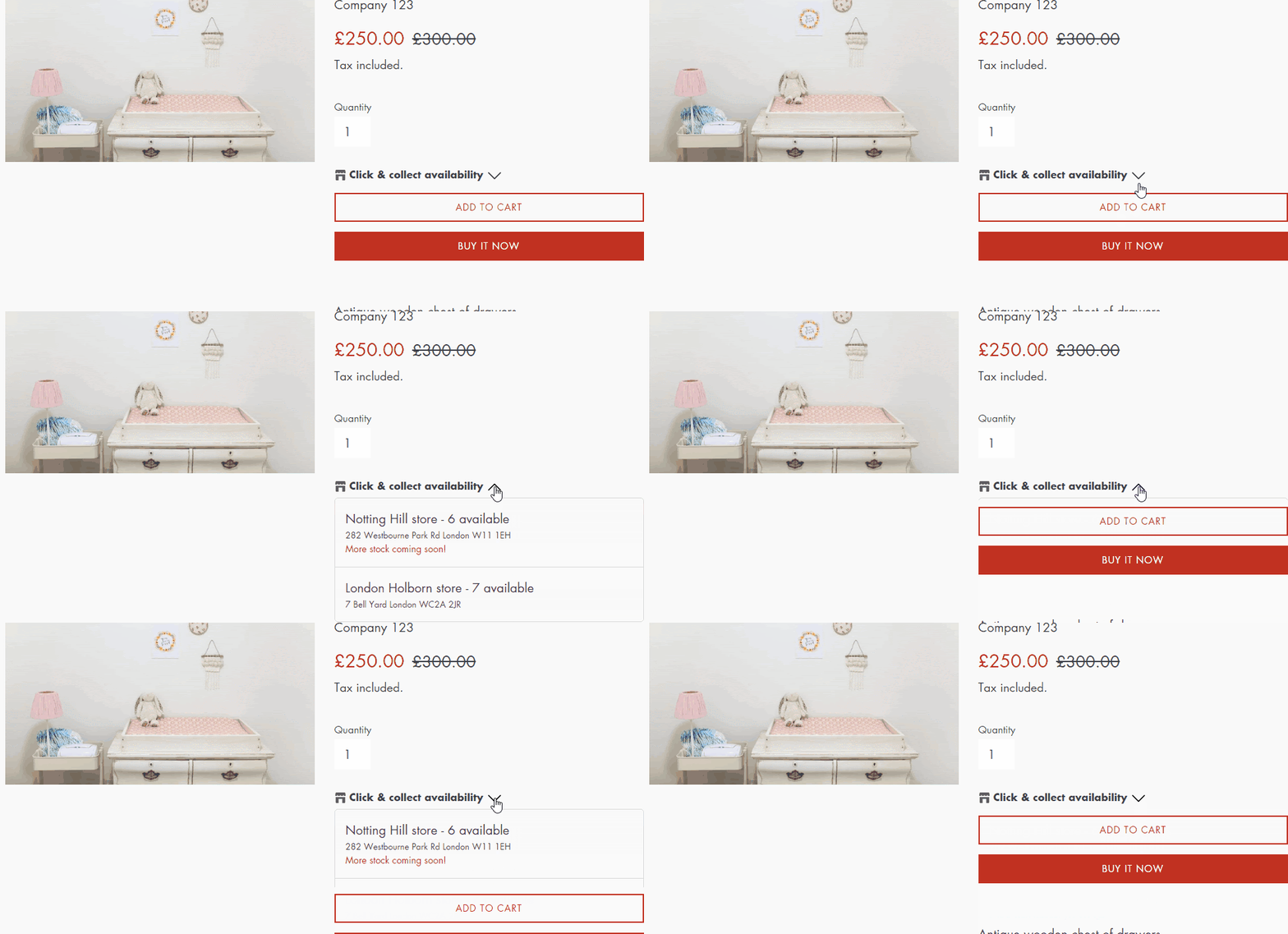
Below is an example of how the widget works:
If you have questions, please reach out to our support team.