
Getting Started
Widget Options
Inventory Display Options
Location Options
Online Availability Options
Geolocation Search
Incoming Inventory
Advanced Styling & Customization
Display additional text for each location
You have the option to add extra information to each location using Location Notes. You can display messages such as shipping times or opening hours. This feature allows you to show messages based on conditions, for example, whether an item is sold out at a particular location.
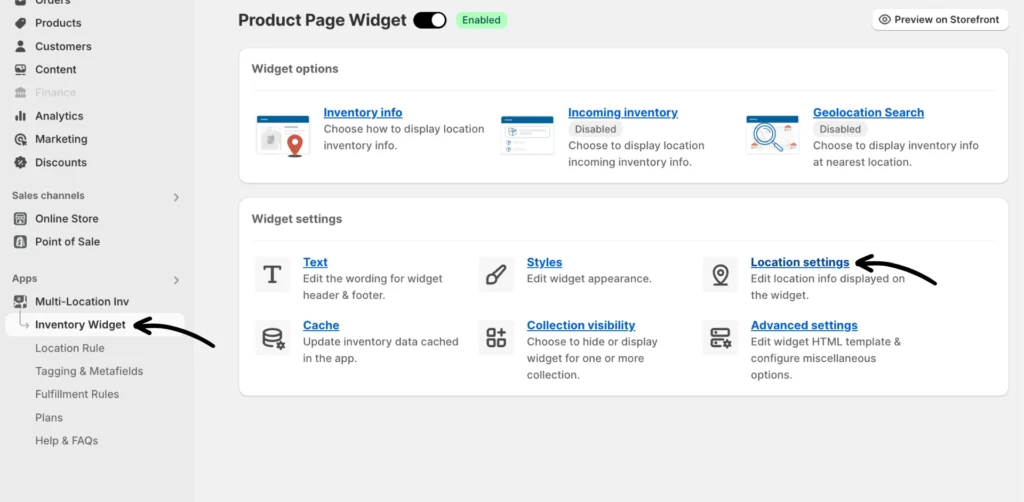
Step 1: Navigate to Location settings from the Inventory Widget.
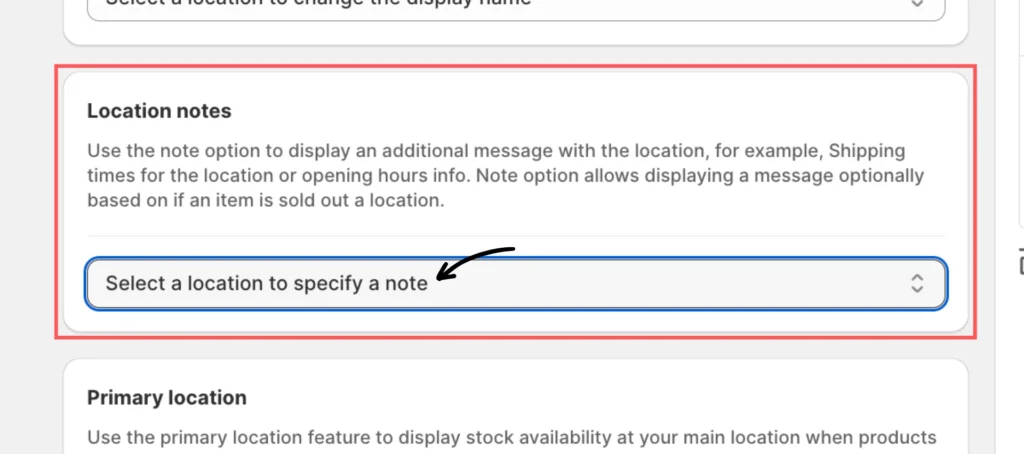
Scroll down to Location Notes and select the desired location(s) where you’d like to include a note.
Step 2: Add a note to your selected location(s).
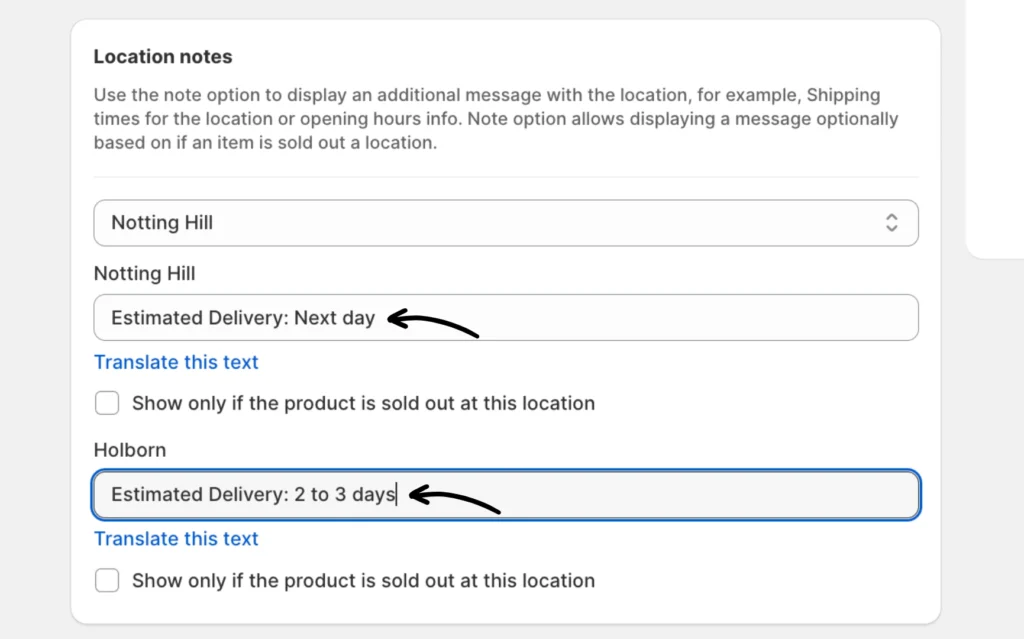
OPTIONAL: Check the box to show the note ONLY if the product is sold out for the location.
Don’t forget to click Save after making any changes.
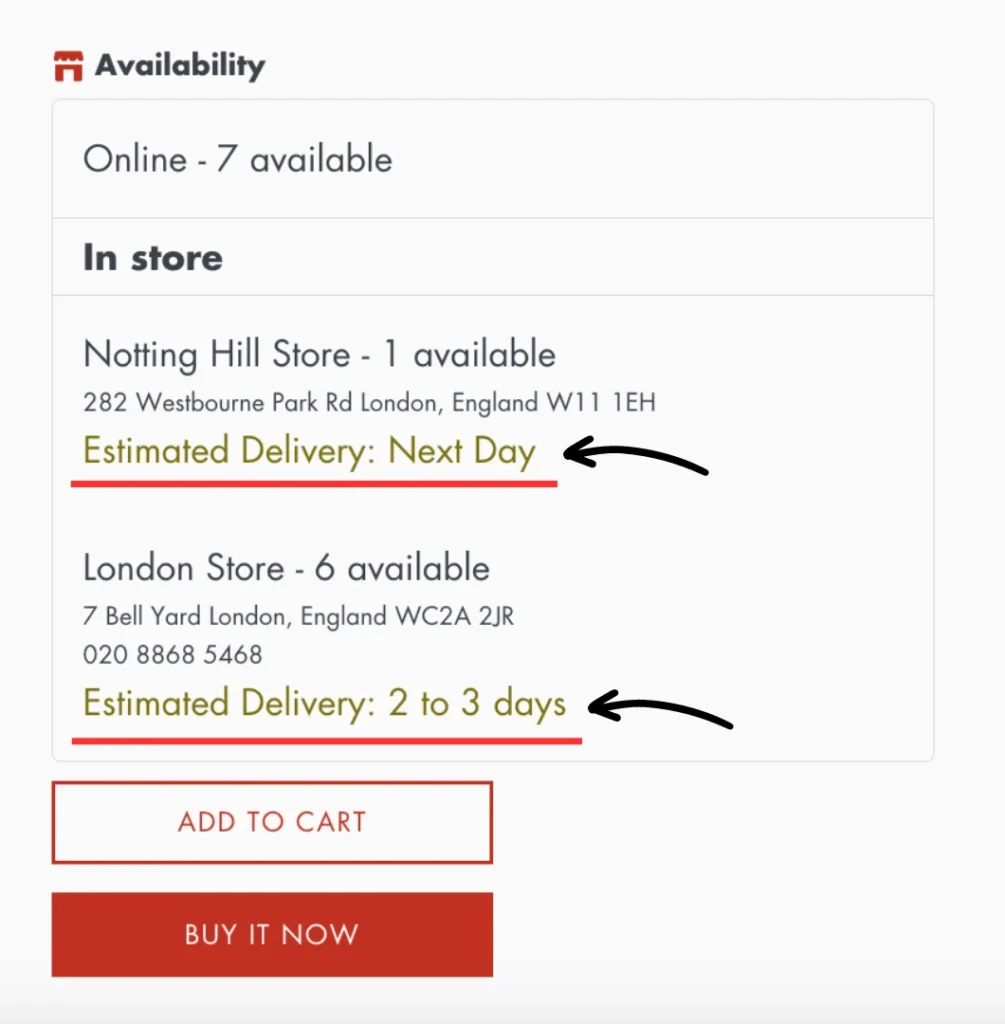
The preview will appear as follows on the storefront:
If you need help, please feel free to reach out to our support team.