
Getting Started
Widget Options
Inventory Display Options
Location Settings
Online Availability
Geo Location
Incoming Inventory
Advanced Customization
Display available quantity at each location
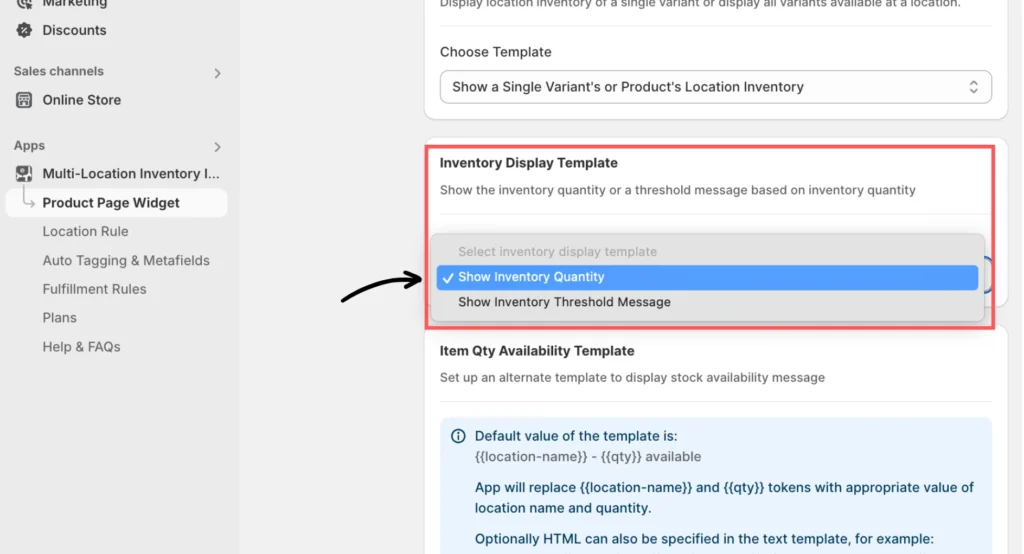
Set the inventory display template
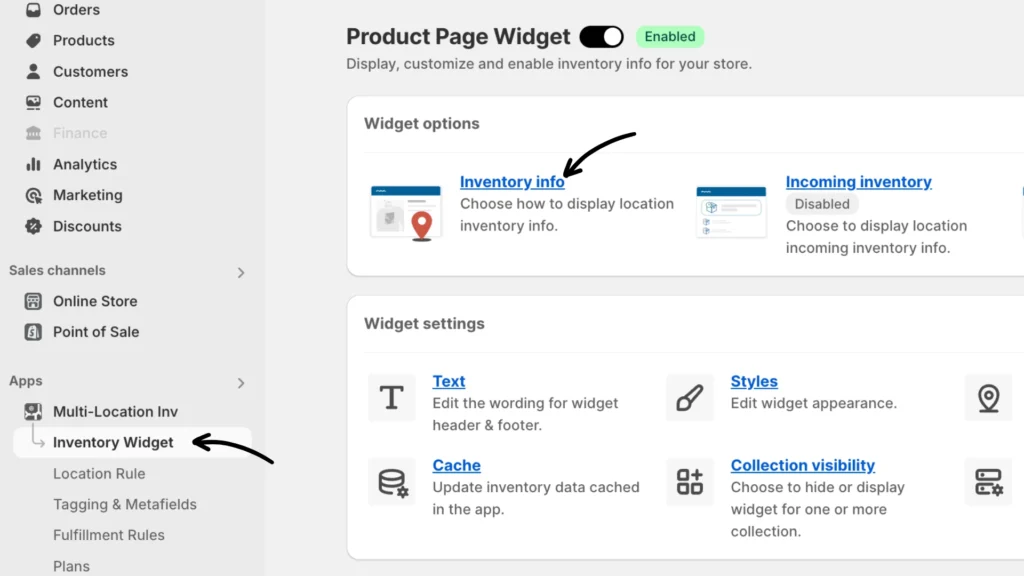
Choose Show Inventory Quantity in the Inventory Display Template section.
Widget Templates
There are two templates to choose from:
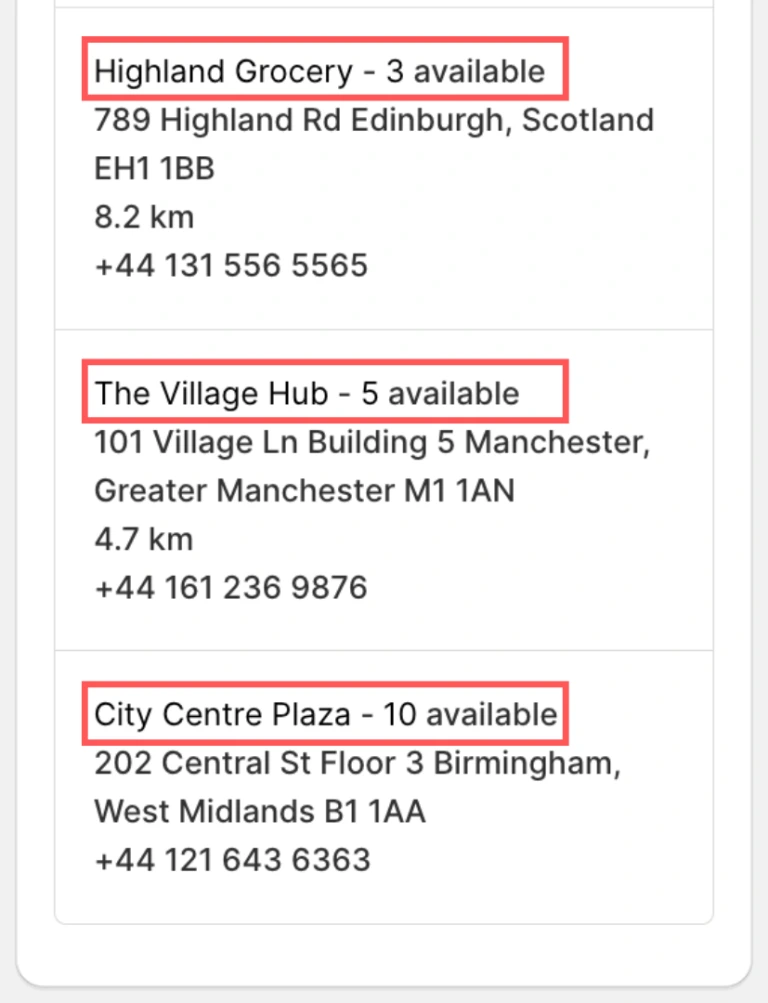
Show a single variant or product’s location inventory
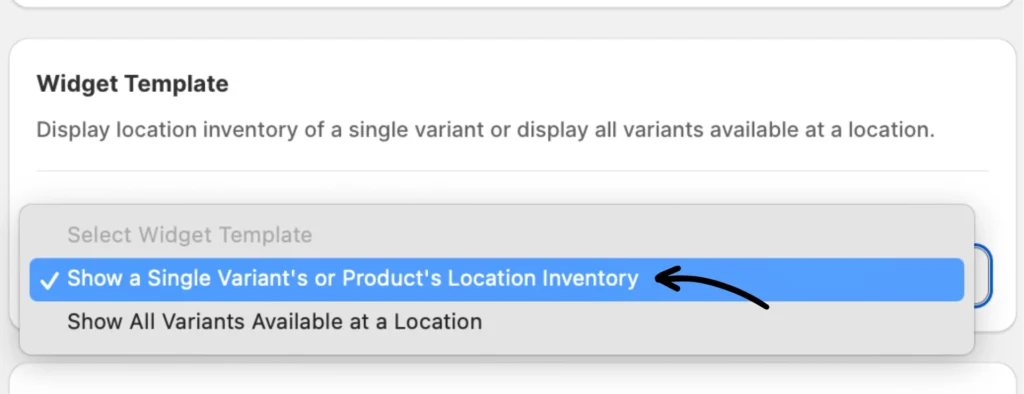
- The available quantity will appear alongside each location.
- You can customize both the location and quantity using the format
{{location-name}} - {{qty}}.
- Translate the text by clicking Translate this template.
Storefront Preview:
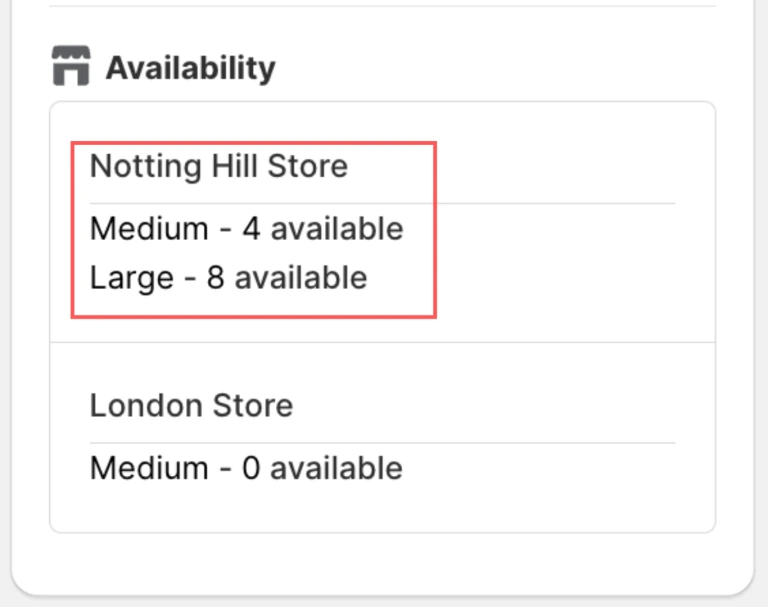
Show All Variants Available at a Location.
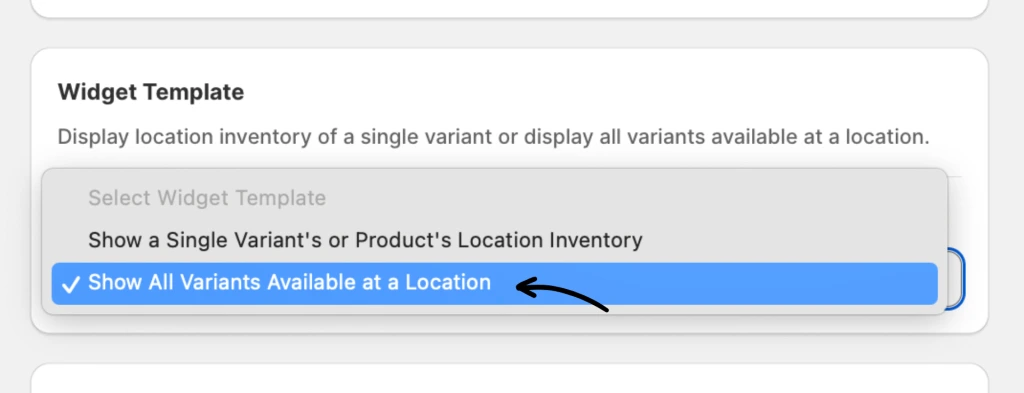
- This will showcase the quantity alongside all available variants at a specific location.
- Modify the name of the variant and the quantity by utilizing the format
{{name}} - {{qty}}
- Translate the text by clicking Translate this template.
Storefront Preview:
Note:
- The storefront preview based on your current setting is on the right side which shows “Preview.” (Please note that the widget’s preview may appear differently from how it will look on your specific theme.)
- More information about the inventory widget templates can be found here.
If you encounter any issues, don’t hesitate to contact the support team for further assistance.