
Getting Started
Widget Options
Inventory Display Options
Location Options
Online Availability Options
Geolocation Search
Incoming Inventory
Advanced Styling & Customization
Hide or Show the widget only for certain products
This feature allows you to control the visibility of widgets based on the products you select in a collection. When you assign specific locations, you can determine when the widget will appear for grouped products, ensuring it is only displayed for items within the designated collection.
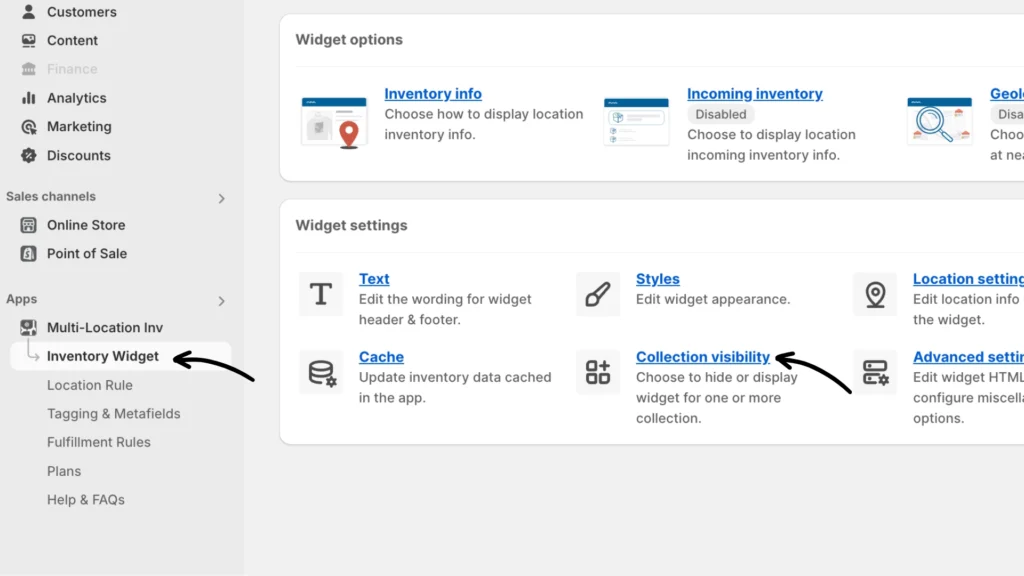
Step 1: Navigate to the Inventory Widget > Collection visibility (under Widget settings).
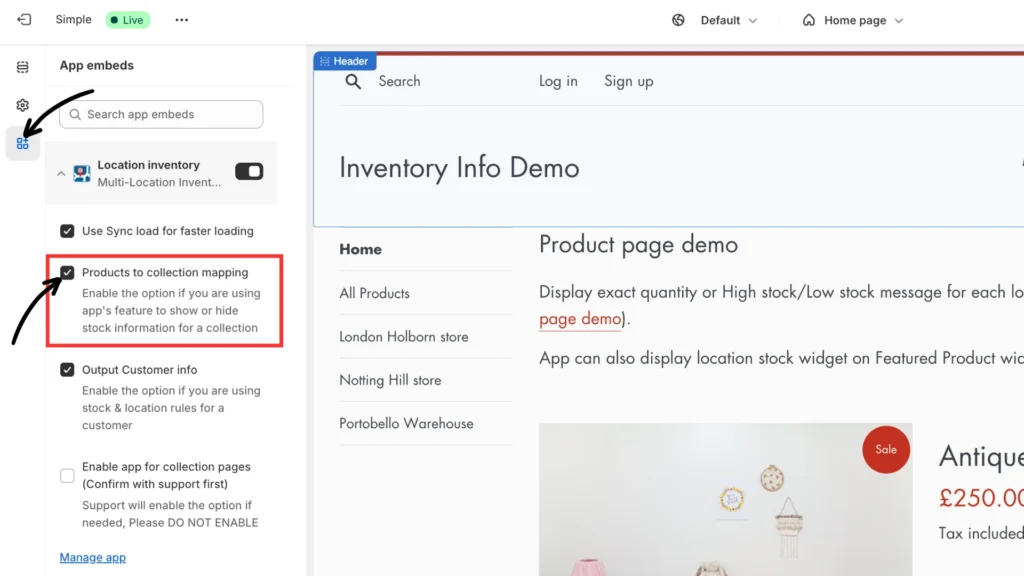
Note: Please ensure “Products to collection mapping” is enabled before continuing. You can do that by navigating to Online Store > Themes > Customize > App embeds, and clicking Save.
Step 2: Configure your collection visibility settings
First, navigate to Inventory Widget > Collection visibility and choose your product collections by clicking Select one or more collections.
Second, check the “Only Display for Selected Collections” box and click Save.
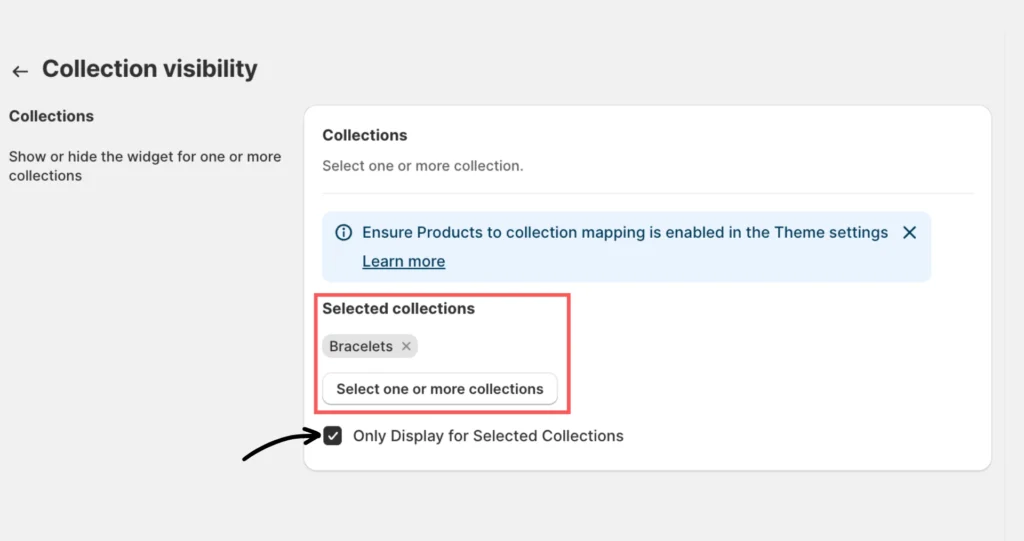
Note: If Only Display for Selected Collections is enabled, the widget will be displayed ONLY for the selected collections. When left unchecked, the widget will be hidden for the selected collection and displayed for all the other products.