
Inventory widget templates
An Inventory Widget is typically used to display real-time inventory information to customers, such as the number of items in stock, low/high stock or sold-out items, available colors or sizes, and other relevant details.
Setting up an inventory display on your product pages can greatly enhance the shopping experience by providing up-to-date product availability, whether you use a pre-built plugin or a custom solution.
How to set up an Inventory Widget
Before you begin, please make sure that the app embed is activated. Follow the link below to activate it: Activate the app embed.
After enabling the app embed, go to the Inventory Widget and ensure the Product Page Widget status is turned on. The widget will not be displayed on the product page if this setting is not enabled.
Available inventory widget templates
The “Widget Template” option is found under “Inventory Info” of the Inventory Widget option.
Template #1
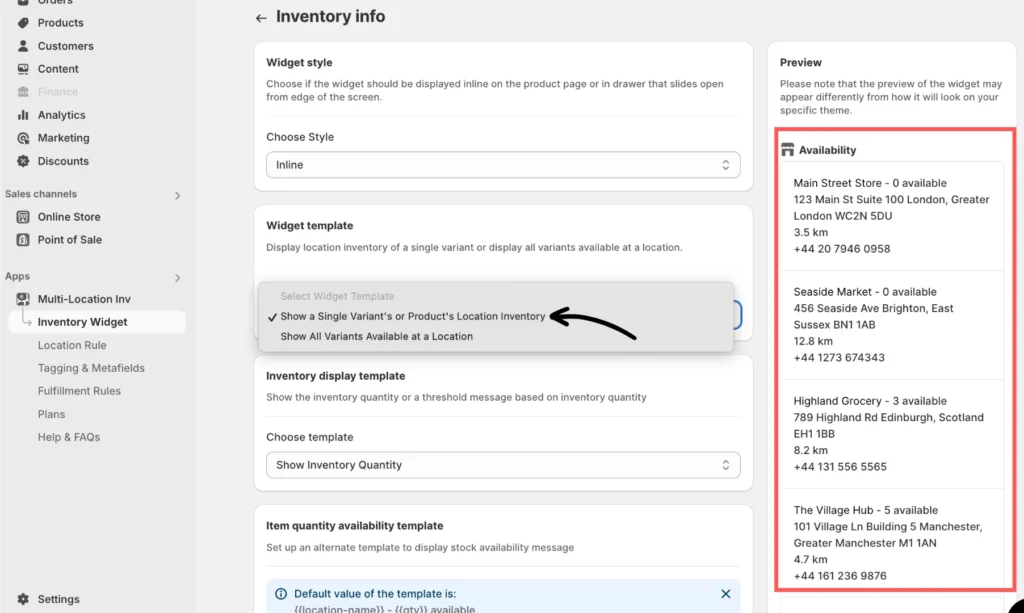
Enabling the option Show a Single Variant’s or Product’s Location Inventory will display the inventory information for that specific product location.
Template #2
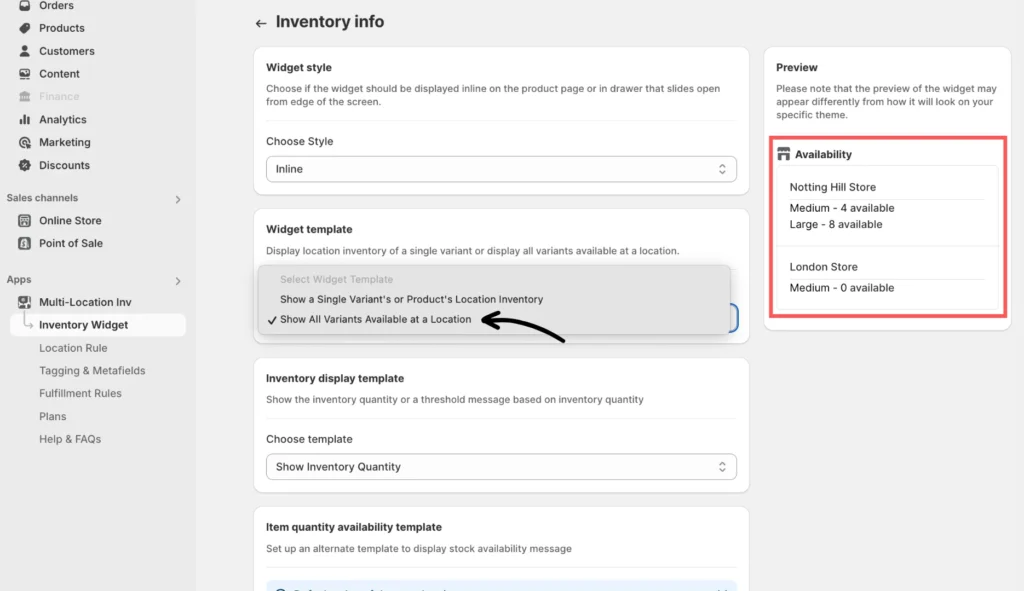
You can choose to “show all available variants at a location by selecting” by selecting it.
Don’t forget to click Save after making any changes.
Please note that the preview displayed on the right may not look exactly like the actual one based on your specific theme.
If you need help, please feel free to reach out to our support team.