
Getting Started
Widget Options
Inventory Display Options
Location Options
Online Availability Options
Geolocation Search
Incoming Inventory
Advanced Styling & Customization
Choose a widget style to display on your product page
The Widget Style feature lets you choose between the Inline or Drawer styles to display on your product page.
- Inline: This is the default style. It will display the widget directly on the product page, showing the availability information in a lined-up format.
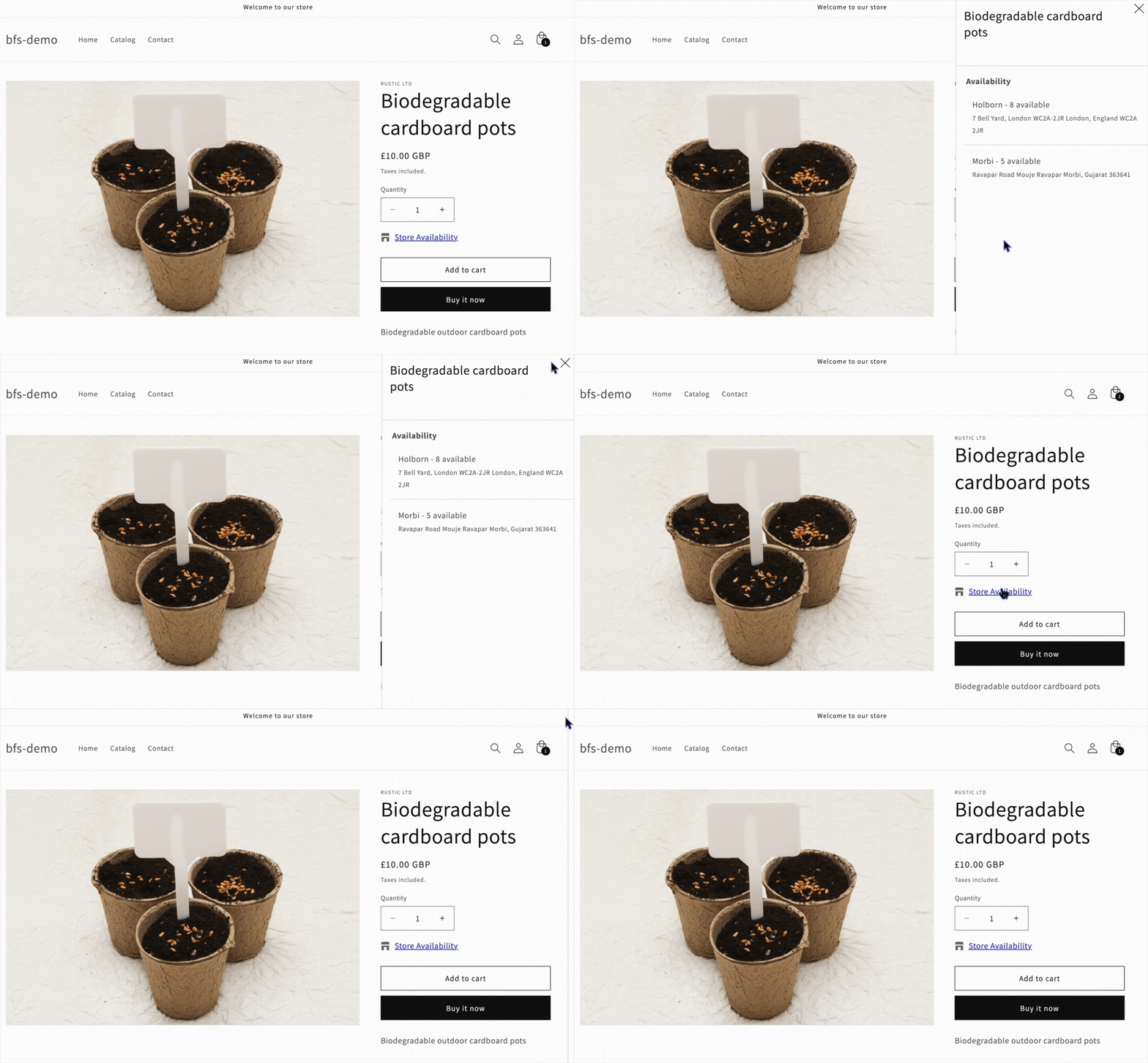
- Drawer: This option displays a “Store Availability” link. Clicking on the link opens a drawer at the right edge of the screen, presenting all the store availability details.
Change the Widget Style
Navigate to the Inventory Widget > Inventory Info.
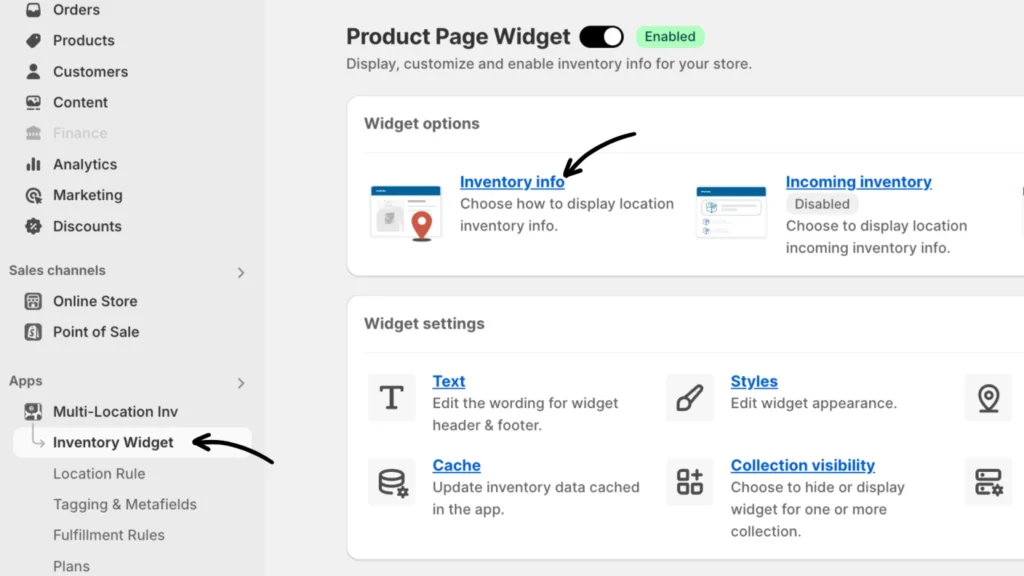
Under Widget Style, choose between Inline and Drawer style.
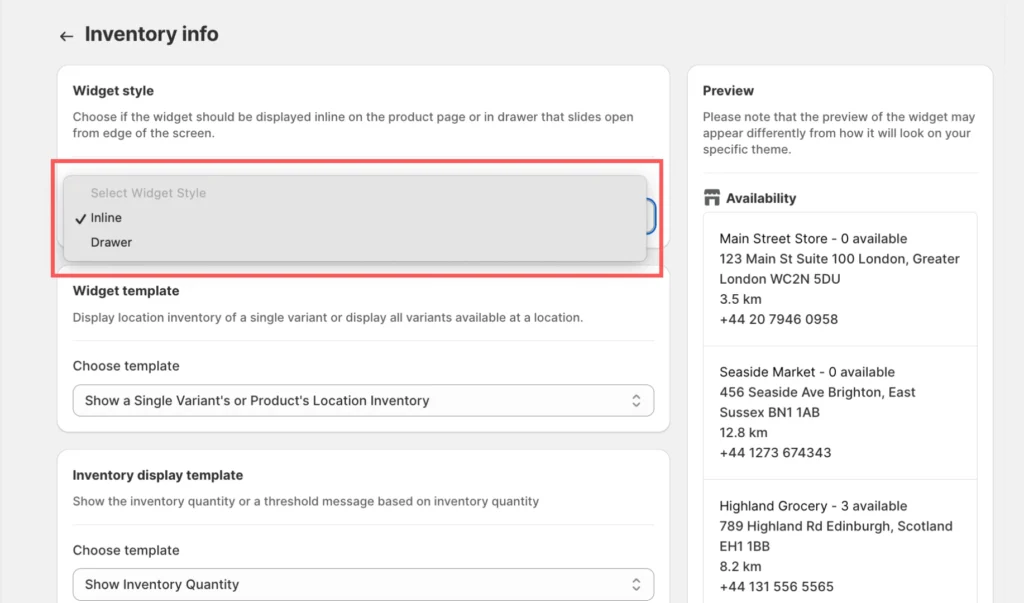
Don’t forget to click Save to apply your changes.
Preview of the “Drawer” style when the Header Text link is selected:
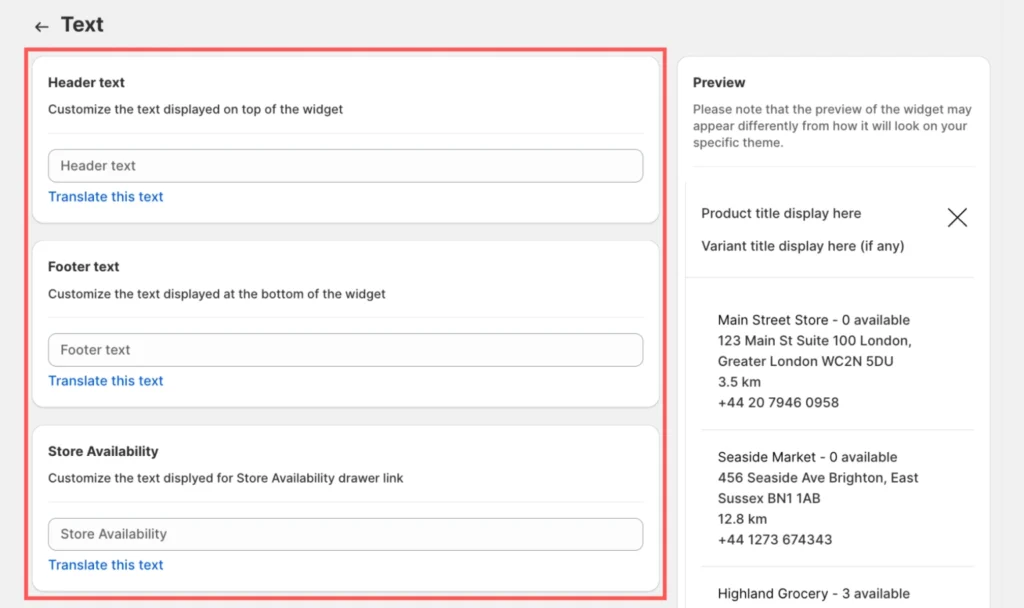
Tip: You can change the header, footer, and the Store Availability text, and translate their language in the “Text” tab according to your preferences.
If you need assistance, please contact our support team.