
Getting Started
Widget Options
Inventory Display Options
Location Options
Online Availability Options
Geolocation Search
Incoming Inventory
Advanced Styling & Customization
Activating app embed
This article shows the steps to activate the Multi-location Inventory app embed. For step-by-step instructions on how to enable the app’s inventory widget on product pages, check out this article.
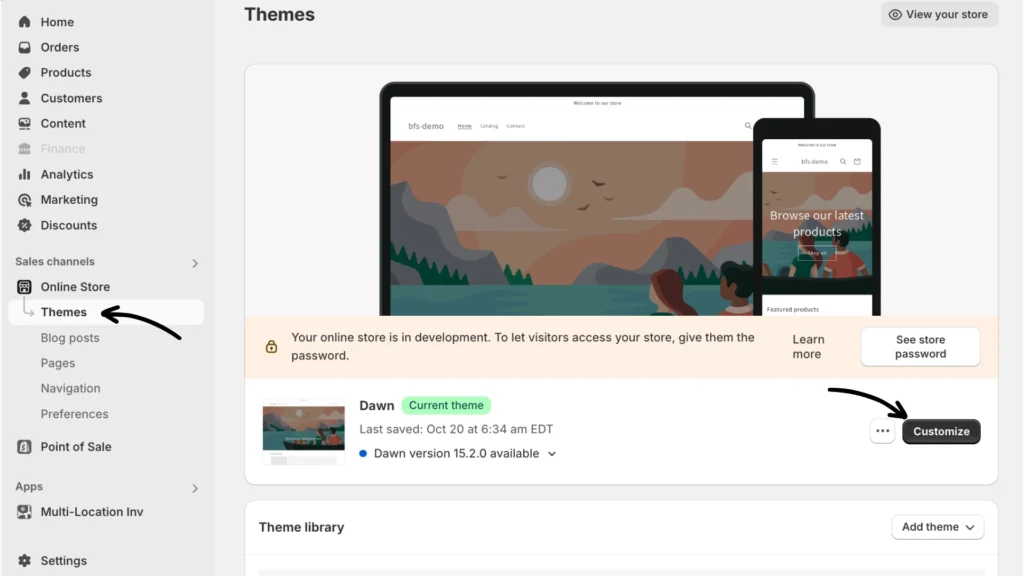
Step 1: From the Shopify admin Sales channels, click Online Store > Themes. Then click Customize to the right of your theme name.
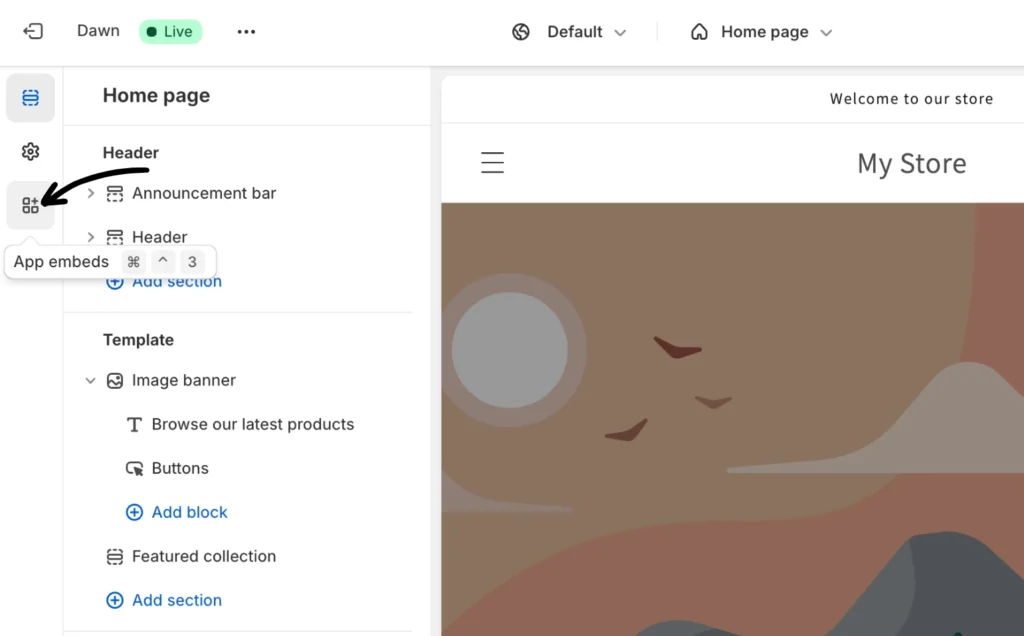
Step 2: Click the App embeds icon from the menu options on the left pane.
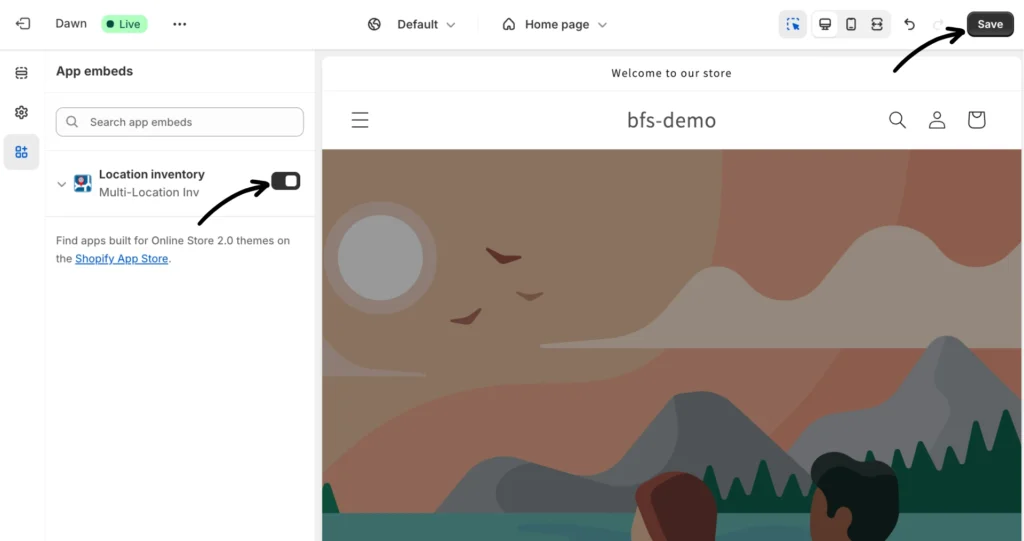
Step 3: Slide the bar to the right to activate the Location inventory app’s embed and click Save.
If you have questions, you may contact our app support team.