Metafields for product bundles
The Metafields for product bundles feature allows you to sync and manage inventory for bundles created with the Shopify Bundles App. It is available to users with a Pro Plus plan subscription, and supports both Location metafields and Inventory JSON metafields.
Product bundles are Shopify products composed of multiple other products. This app supports only bundles created using the Shopify Bundles App. These bundles must be managed independently from regular products.
How it works
Once enabled, the app calculates the available inventory per location based on the stock of all components, determining how many full bundles can be assembled using the item with the lowest stock.
Depending on how you manage metafields, you’ll see a “Manage bundle” option under:
- Inventory JSON metafields (Note: Only JSON metafields created under Metafields & Auto Tagging > InventoryJSON Metafields support bundles. If Location Rule is enabled, JSON metafields will not be available.)
Both links redirect to the same bundles configuration page with slightly different UI wording.
Setup guide
Step 1: Access the Manage Bundles setting
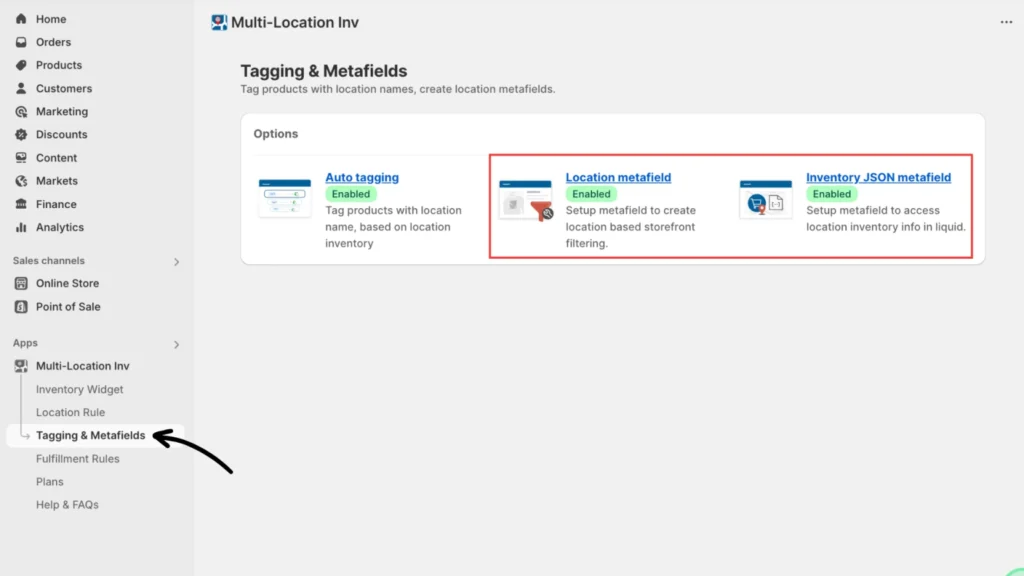
Navigate to your Multi-Location Inventory app and go to Tagging & Metafields, then select Location metafield or Inventory JSON metafield.
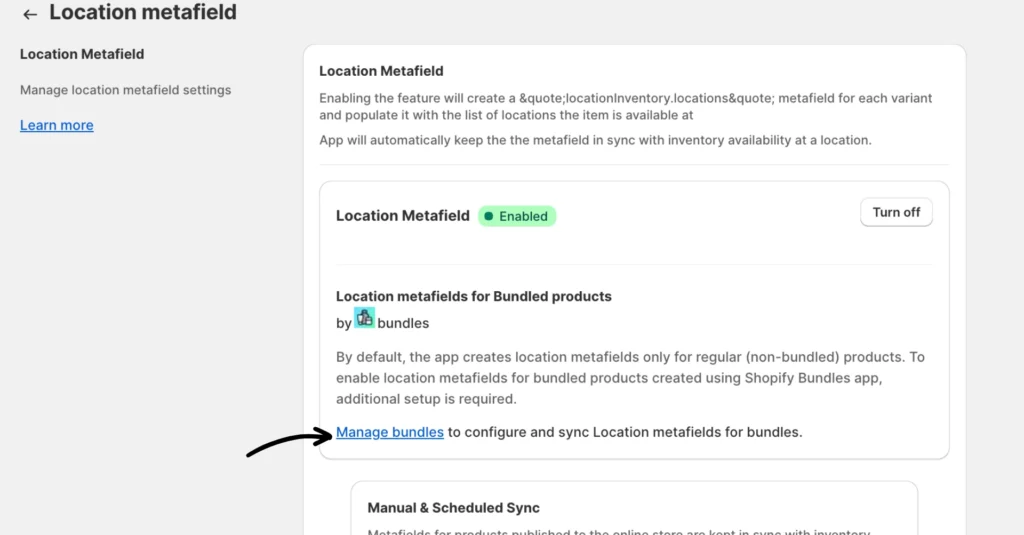
Inside the metafield setting, click on Manage bundles to configure and sync location (or location JSON) metafields for bundles.
Step 2: Enable and configure the metafields for product bundles
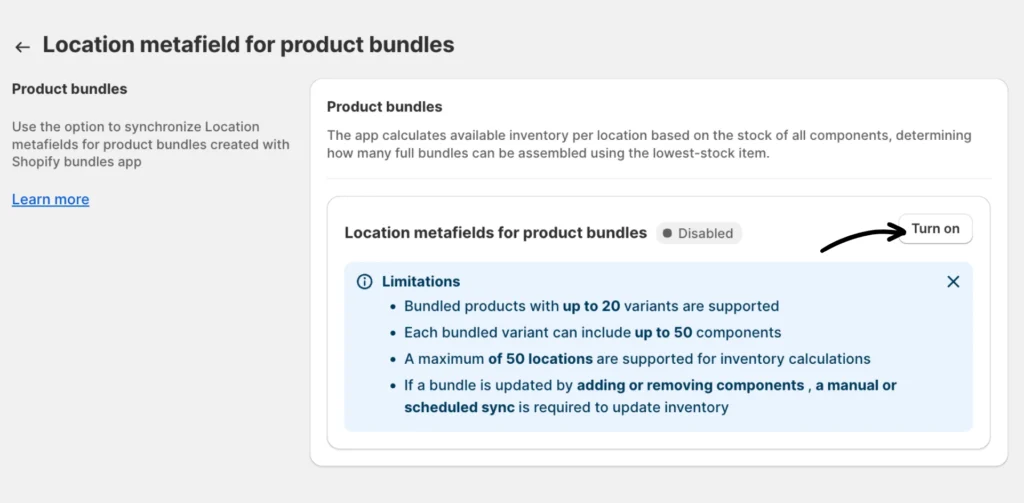
Click Turn on to activate the metafields for product bundles.
This will run a sync for bundles, which will take a few minutes or so, depending on how big your catalog is. You will be notified via email when this is complete. You can also refresh the page to check the status.
Limitations:
- Bundled products with up to 20 variants are supported
- Each bundled variant can include up to 50 components
- Inventory calculations support a maximum of 50 locations
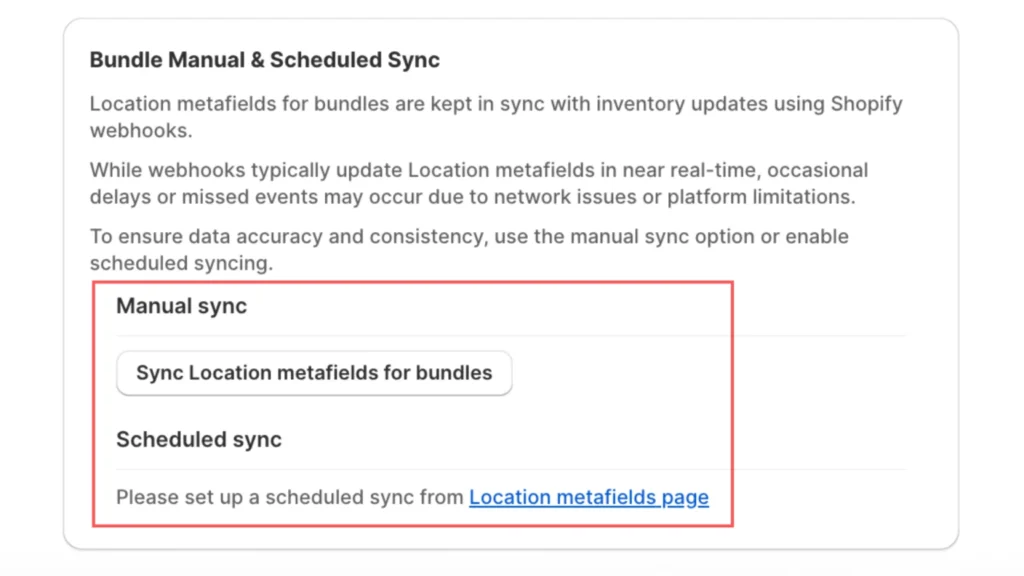
- If a bundle is updated by adding or removing components, a manual or scheduled sync is required to update the inventory
If you need help and support, reach out to our dedicated support team.