
Inventory JSON metafields
This guide demonstrates how to use metafields to store and access stock location data for product variants in Shopify. Storing this data in JSON format within metafields enables a dynamic display of detailed stock information in Liquid templates like the one on collection pages.
The following steps and example code will help you implement this feature.
Request the feature
This feature is not available by default and can only be activated upon request. You can access the feature from the app by going to Tagging & Metafields > Inventory JSON metafield.
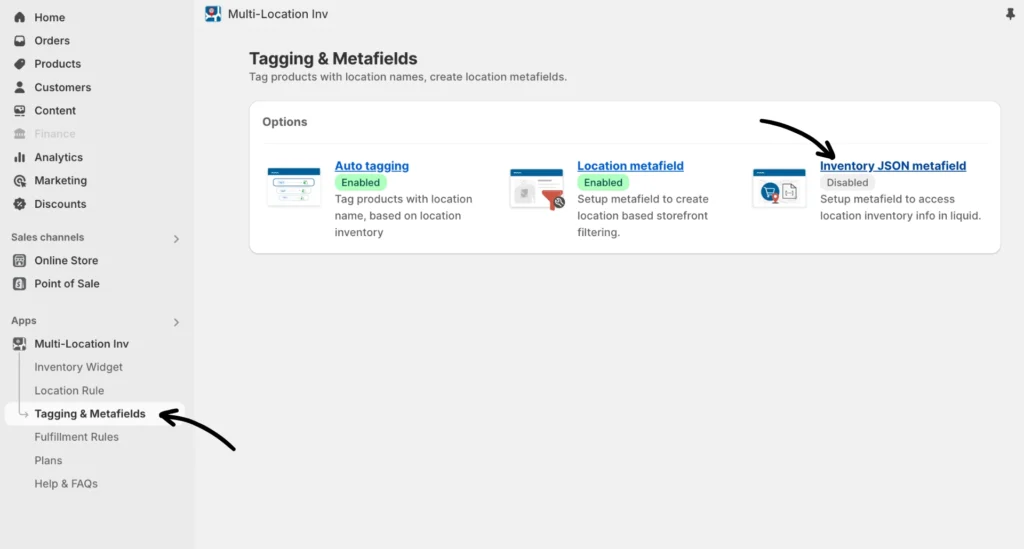
Please get in touch with our support team with your use case for using JSON metafields.
Note: Using JSON metafields requires advanced liquid programming skills.
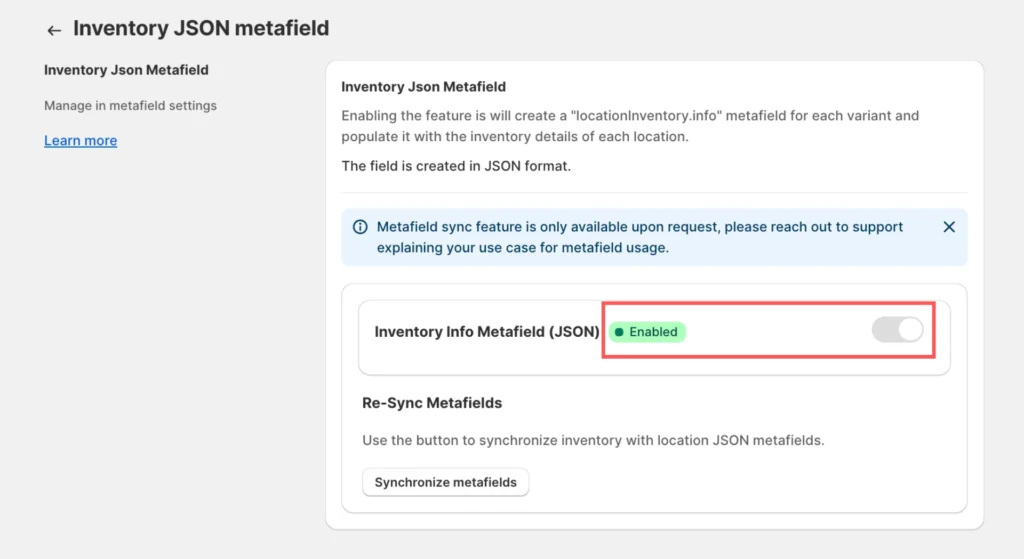
Use the feature
Once Support has allowed the feature for your Shopify site, the Enable button will be active for you automatically. This means a JSON metafield is now created for each product variant for storing stock location data in JSON format and enabling the storage of detailed stock information per location for every variant.
If necessary, you can re-sync inventory metafields by clicking Synchronize metafields.
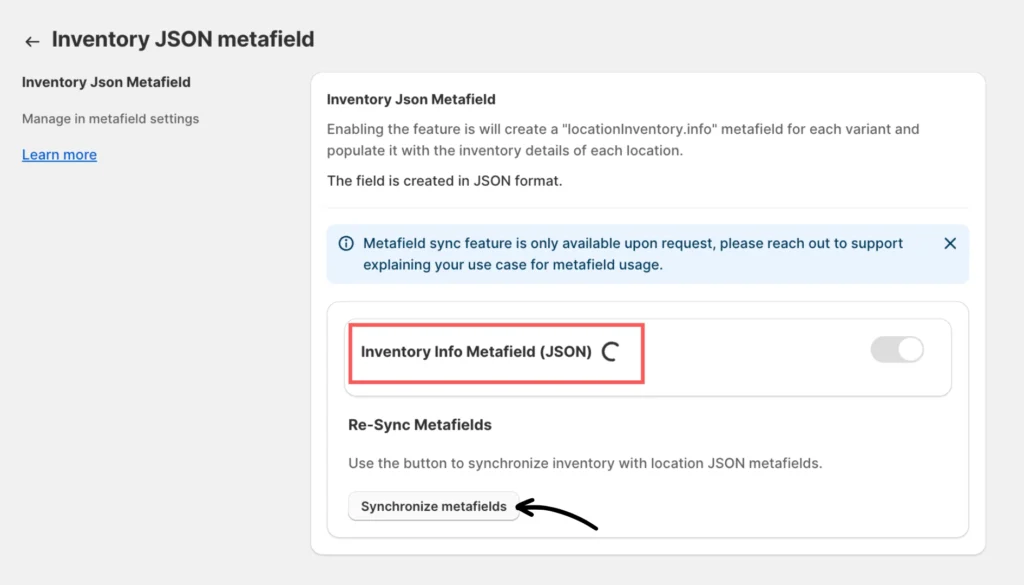
Please note that the syncing may take a few minutes to a few hours, depending upon the catalog size (i.e. the number of products and variants). You can contact our support team if the process has not finished within 24 hours.
Locate the variant metafields section
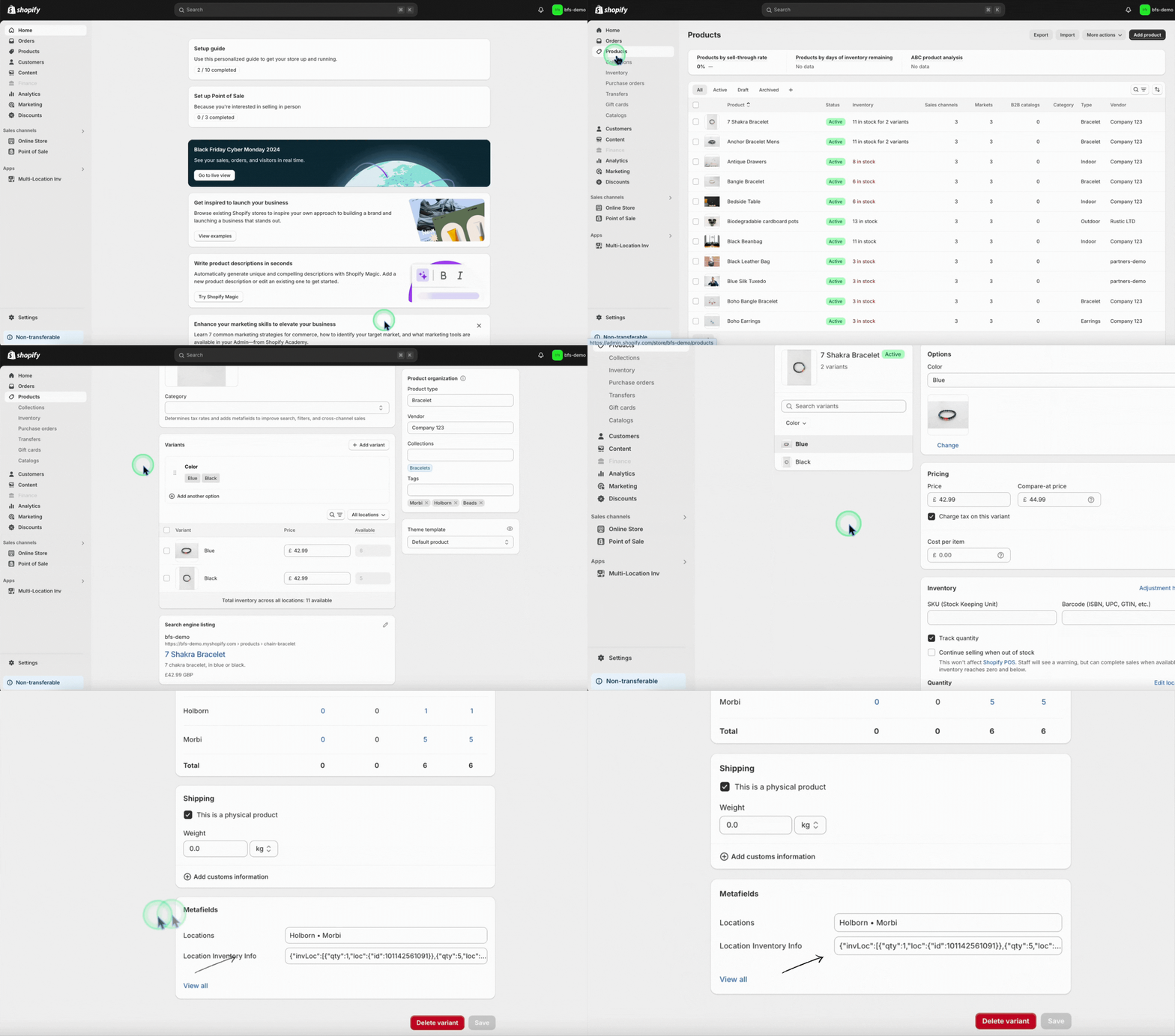
Note: The app currently supports up to 50 locations.
Use the JSON metafield
To access and use the JSON metafield in your Liquid templates on a collection page, use the following sample code:
{% comment %}

  Place this snippet in the product card template or

  an equivalent liquid file

{% endcomment %}


{% assign variant = product.selected_or_first_available_variant %}

{% assign inventories = variant.metafields.locationInventory.info %}


{% for inventoryInfo in inventories.value %}

  {% comment %}

      The below two lines will give locationId and stock at that location

      Perform any custom logic related to location and qty

  {% endcomment %}

  {% assign locationId = inventoryInfo.location.id %}

  {% assign qty = inventoryInfo.quantity %}

{%- endfor -%}

{% for inventoryInfo in inventories.value %}
If you need help, please feel free to contact our support team.