Select one location from which to fulfill all delivery orders
How does this rule work?
When enabled, this rule lets you fulfill all delivery orders only from a single, specific location. It is designed for those who prefer centralized fulfillment (e.g., a main warehouse or regional hub) while still maintaining other locations active for local pickup or inventory display.
Note:
- Fulfillment rules apply only after an order is placed. Rules cannot block purchases, change shipping rates, or alter the Shopify checkout flow.
- Only one fulfillment rule can be activated at a time. If another rule (such as a location rule) is active, you’ll need to disable it before enabling this one.
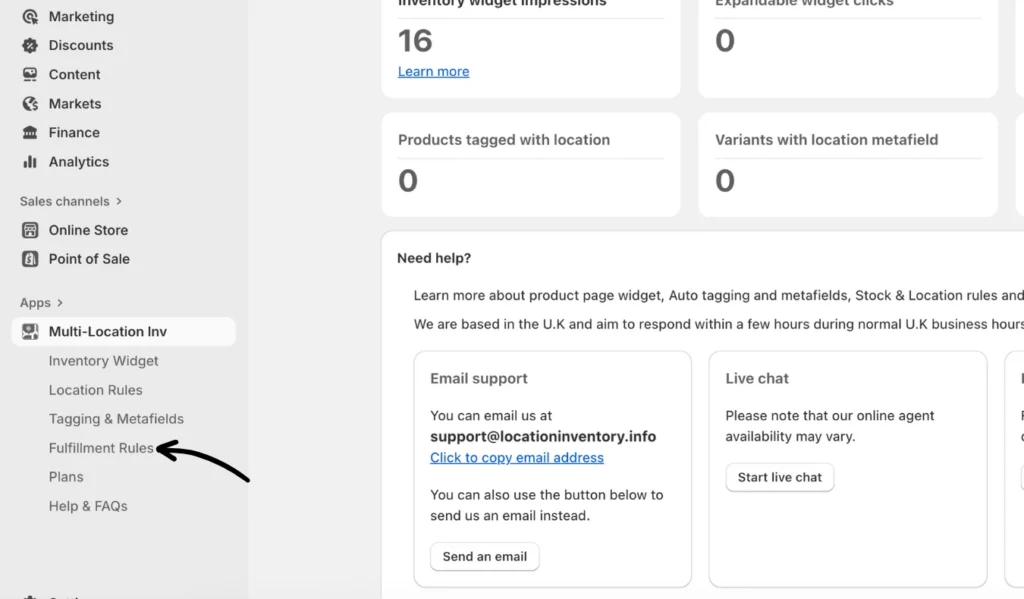
1. From the app, click on Fulfillment Rules.
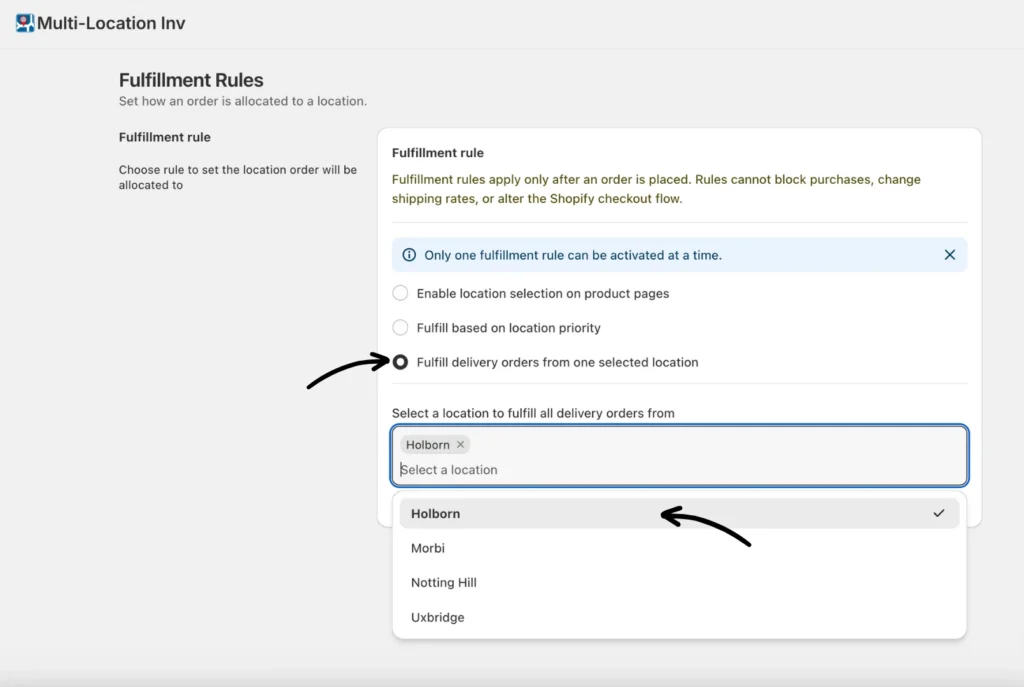
2. Under the Fulfillment rule options, select Fulfill delivery orders from one selected location and choose the location from the dropdown list.
3. Click Save to apply your settings.
Once enabled, the app will automatically assign every new delivery order to that selected location.
Important:
- This rule only applies to delivery orders. Local delivery and pickup orders are not affected.
- Orders already fulfilled or allocated to another location before the rule was enabled will not be reassigned.
- The rule can be toggled off anytime to revert to Shopify’s default fulfillment logic.
If you need help setting up or modifying fulfillment rules, please contact our support team.