Location selection on product pages
This rule lets you pick where to order from when browsing for a product. It makes it easy for you to choose where you want your stuff delivered from so you can get it from the best place for you.
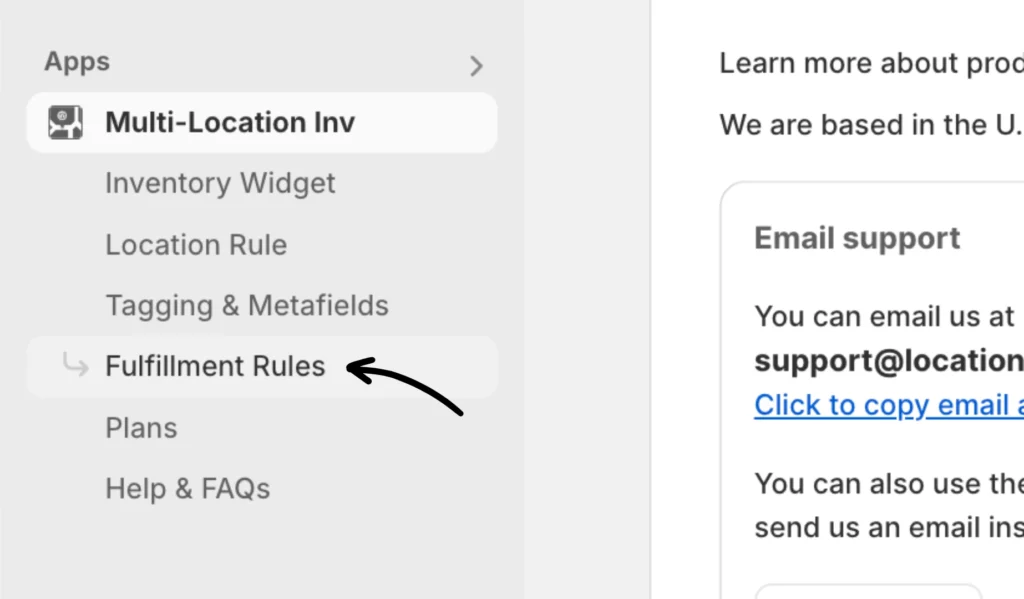
You can access Fulfillment Rules by clicking on the option from the app.
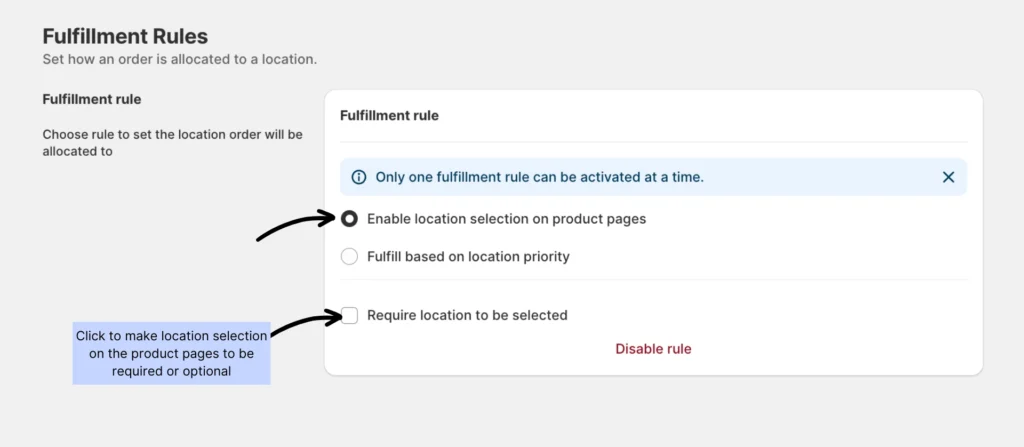
Enable the fulfillment rule
Under Fulfillment rule, click the button to enable the location selection on your product pages.
Require a location to be selected
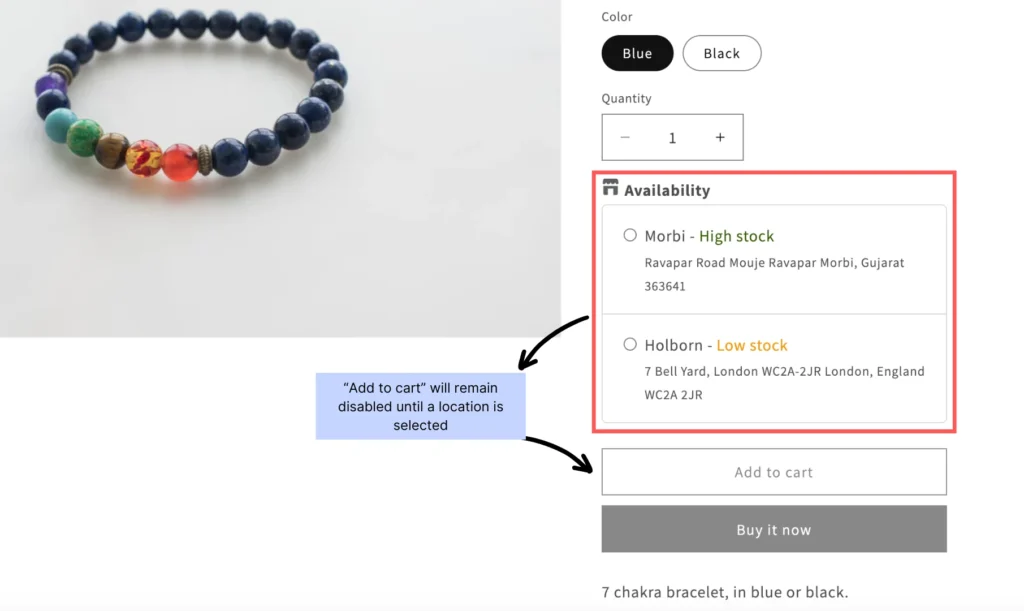
Enabling this option makes it necessary for customers to choose a location before they can make a purchase. Once activated, the “Add to cart” button will be disabled until a location is selected. This ensures that customers provide their preferred delivery location before purchasing.
Storefront preview:
If you encounter any issues, don’t hesitate to contact the app’s support team for further assistance.