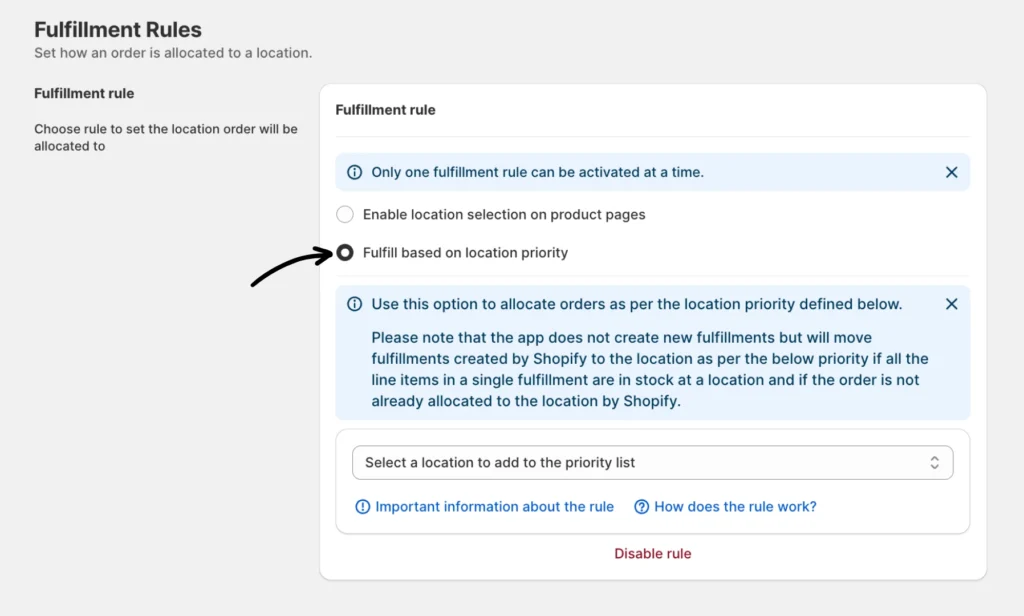
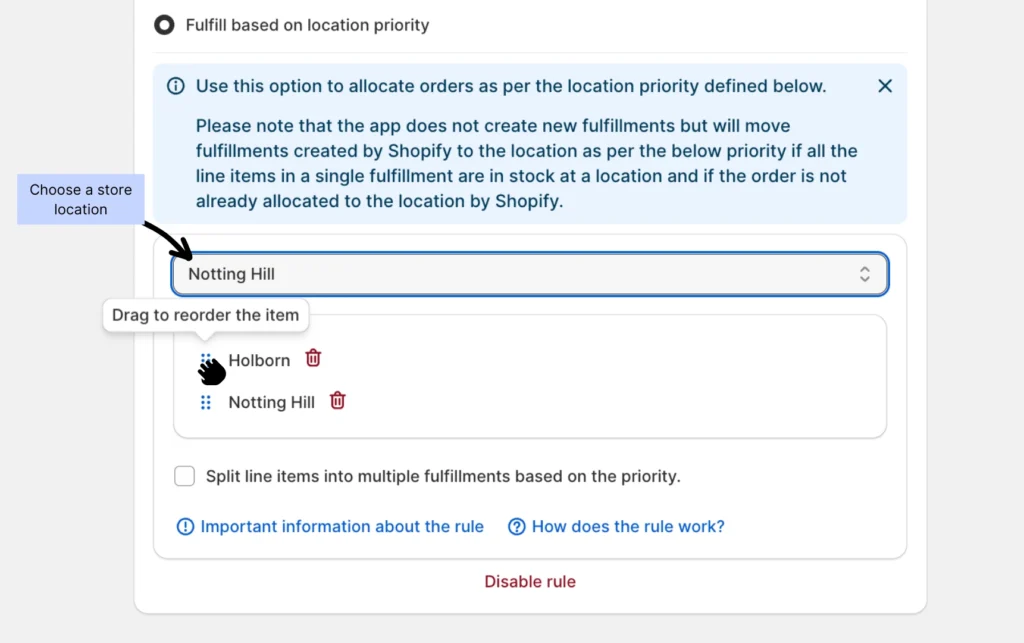
When you create an order and all inventory is in stock across all locations, Shopify will allocate the order to your default location. But when the “Fulfillment based on location priority” rule is enabled, the app will reassess the location and analyze each fulfillment based on the set location priorities and the stock availability of each item. The app will then reallocate the fulfillment to the highest priority location where all items are in stock.
Select a location to add to the priority list
Suppose you have two locations: a retail store and a warehouse. You prefer to fulfill online orders at your retail store first if it has stock. So, you set up priorities by giving the retail store a higher priority than the warehouse. Now, when a new order comes in and Shopify has allocated it to the warehouse, the rule will detect that the items are in stock at your retail store and will allocate the order to your retail store.
Note: Please note that the app does notcreate new fulfillments but will move fulfillments created by Shopify to the location as per the below priority if all the line items in a single fulfillment are in stock at a location and if the order is not already allocated to the location by Shopify.
Important notes:
The rule will only be applied when a new order is created.
The rule will only be applied to orders from online sales channels.
The rule will only be applied to orders that require shipping, and will not apply to orders with local delivery or pick-up orders.
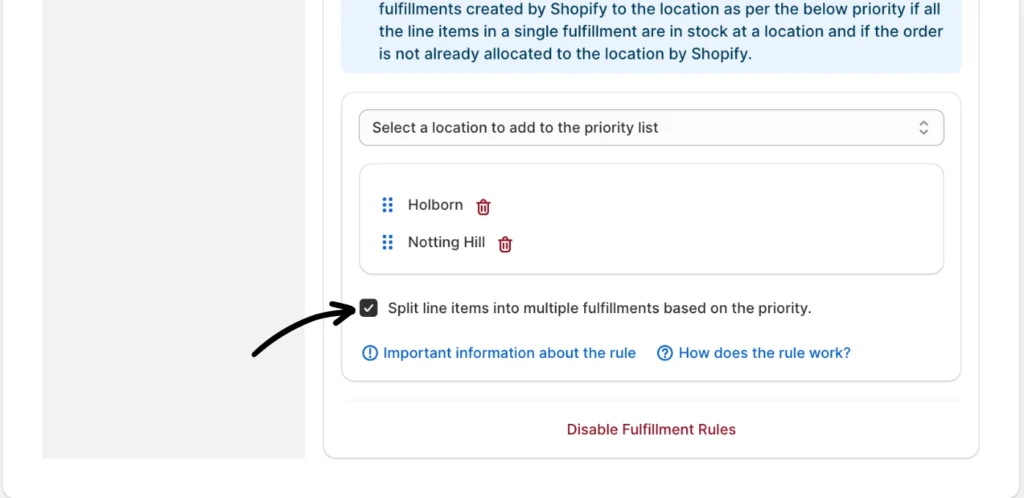
Split line items into multiple fulfillments based on the priority
When your inventory is in multiple locations, the option to split line items into multiple fulfillments based on priority allows orders to be divided and assigned to different locations according to your rule.
If you need help or have any questions, please contact our product support team.