
The app is showing incorrect stock information
To ensure the accuracy of your inventory data, the app employs several mechanisms to keep your stock information up-to-date and consistent. Here’s how it works in detail:
Automatic inventory syncing: The app caches the location inventory data and syncs it automatically whenever inventory is updated in Shopify.
Update frequency: The app will force update the cache every 24 hours.
Manual cache update: If you have made changes to the settings, such as stopping the inventory tracking for a product or updating whether a product can be sold when it is out of stock, and you cannot wait for the 24-hour automatic update, you can manually refresh the cache.
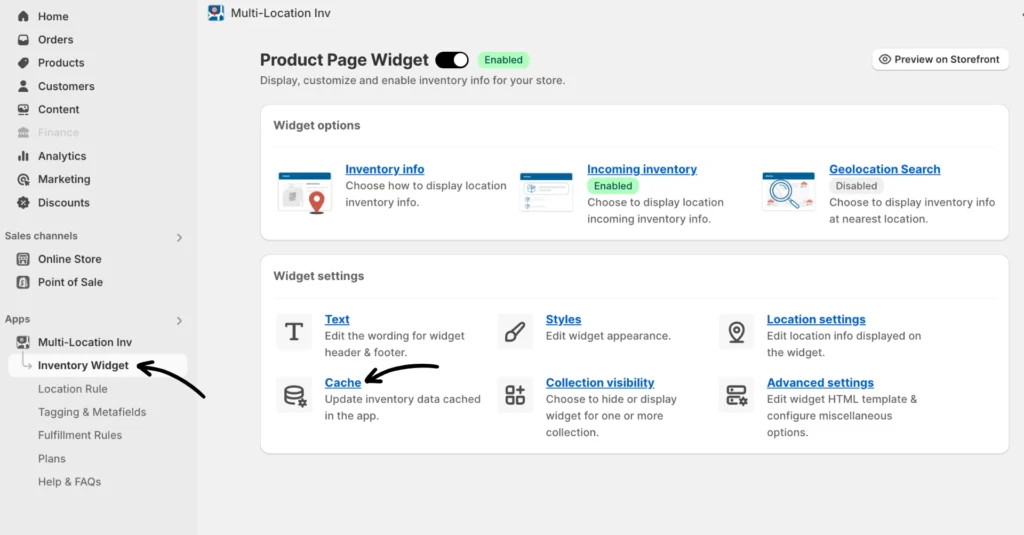
You can get to the setting by navigating to Inventory Widget > Cache and clicking Update cache.
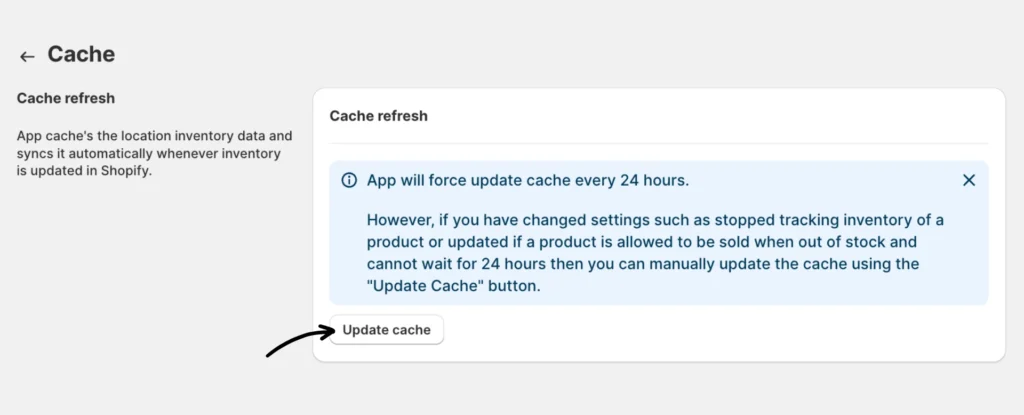
Once you have clicked the “Update cache” button, it could take 3-4 minutes for the cache to update depending on your catalog size.