
Display product metafield within notes field
The Multi-Location Inventory Info App provides a guide on leveraging Shopify’s metafields to seamlessly integrate custom data into product notes, enhancing the shopping experience.
Note: This advanced customization requires changes to liquid files in your theme. If you seek help with this, you may contact our support team.
Step 1: Identify the metafield’s namespace and key that you would like to display within the app’s note field, and you can find this in Shopify by going to Settings (bottom left corner of the browser) > Custom data.
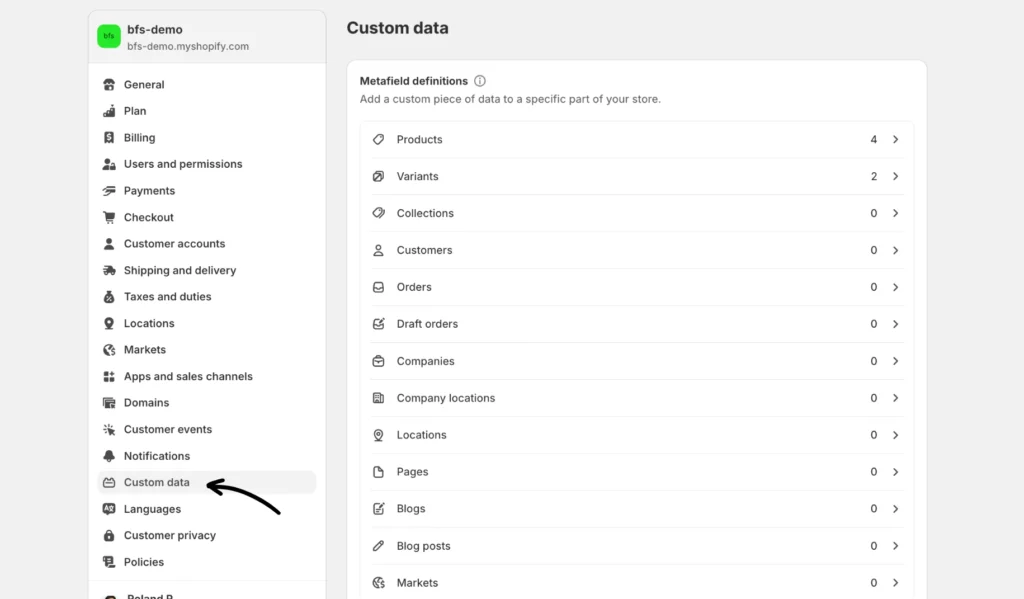
Below is an example of a metafield “Delivery Info” whose namespace and key are custom.delivery_info.
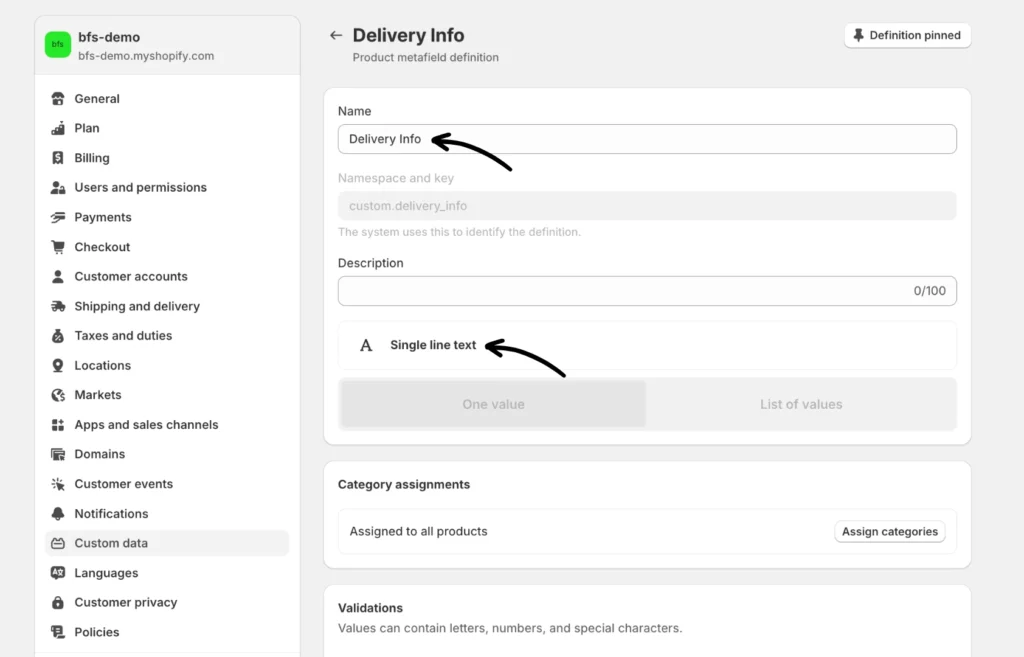
This sample custom metafield definition was created by clicking Products > Add definition, as “Single line text” type.
Step 2: Open the product template or equivalent liquid file for your theme and store the metafield value in a global variable. You can use this article for reference on how to access the code editor.
The below example shows the value of custom.delivery_info being stored in the “product_delivery_info” variable.
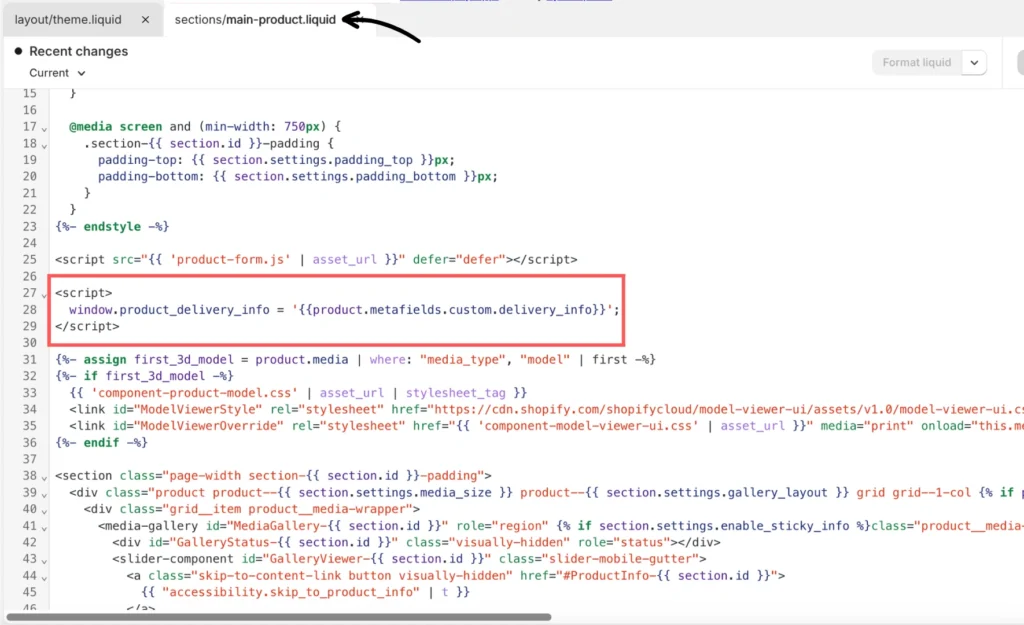
Here’s the script:
<script>
window.product_delivery_info = ‘{{product.metafields.custom.delivery_info}}’;
</script>
Step 3: Use special {{ }} notation in the notes field and specify the global JavaScript variable that should be used to display.
Below is an example of using product_delivery_info within the Location notes field:
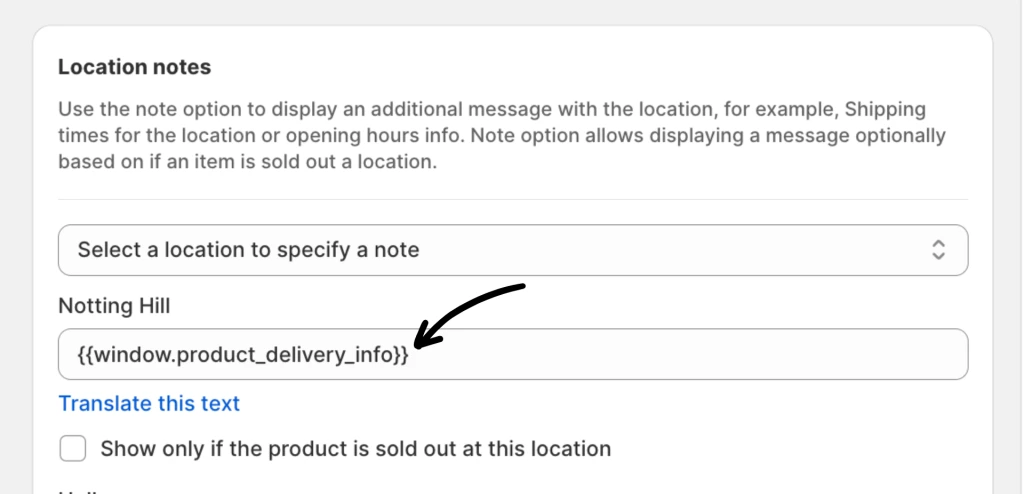
Here’s the script:
{{window.product_delivery_info}}
To get to the Location notes setting, click Location settings from the Inventory Widget.