Getting Started
Widget Options
Inventory Display Options
Location Options
Online Availability Options
Geolocation Search
Incoming Inventory
Advanced Styling & Customization
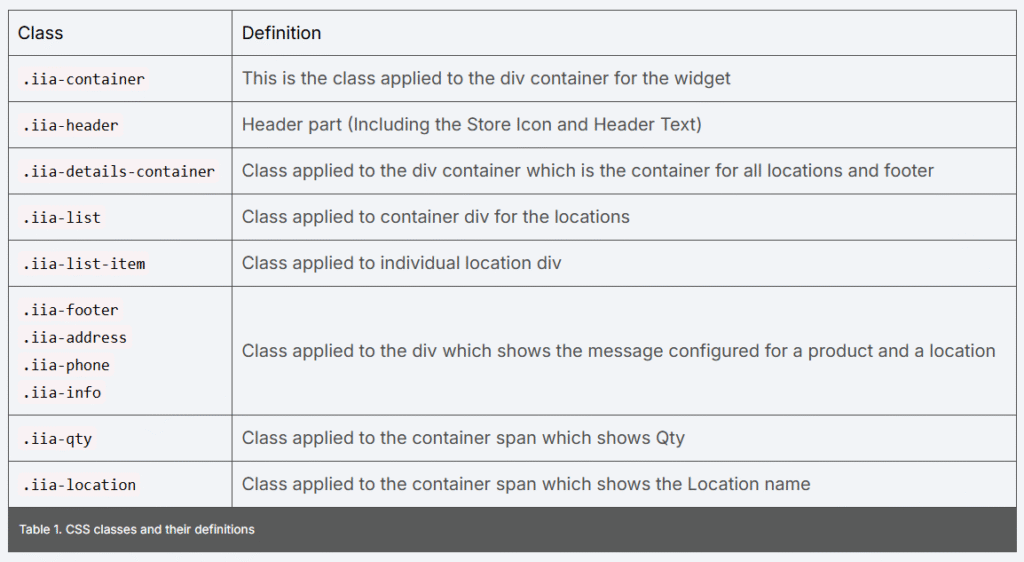
Advanced styling guide with Custom CSS
Note that the “Online” location is compatible only with the “showing a single variant or a product locations inventory” widget template.
Access the Custom Styles
Custom CSS can be specified in the Custom Styles box within the app’s Styles settings. You can access it through Apps > Inventory Widget > Styles.
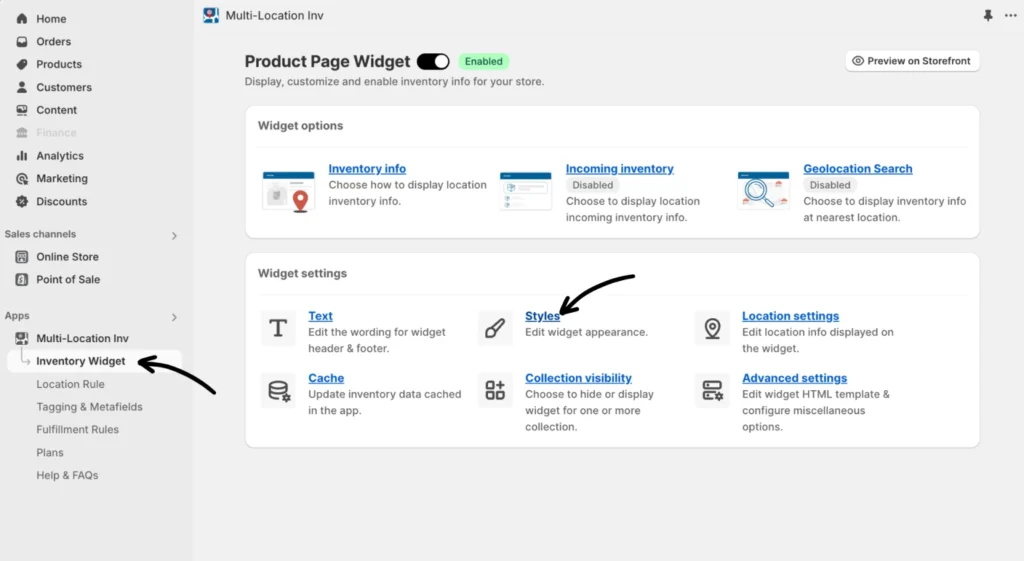
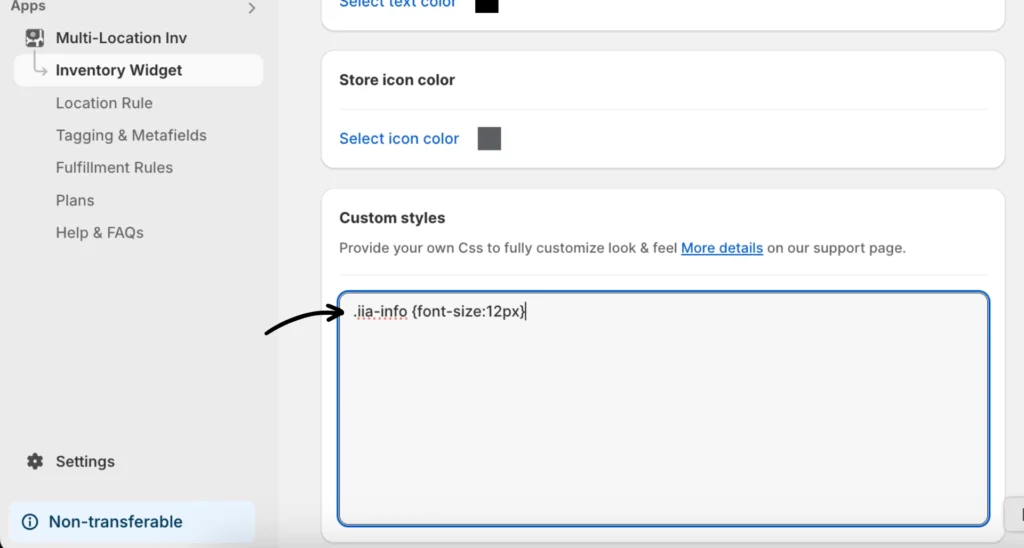
Once you’re in Styles, scroll down to the bottom of the page to see “Custom Styles.”
The screenshot below shows a custom CSS override that specifies the font size for the location info text.
List of Available Key CSS Classes