Hide certain locations from being displayed
You can hide any store location from the inventory widget by excluding it through the Location settings if you choose to do so.
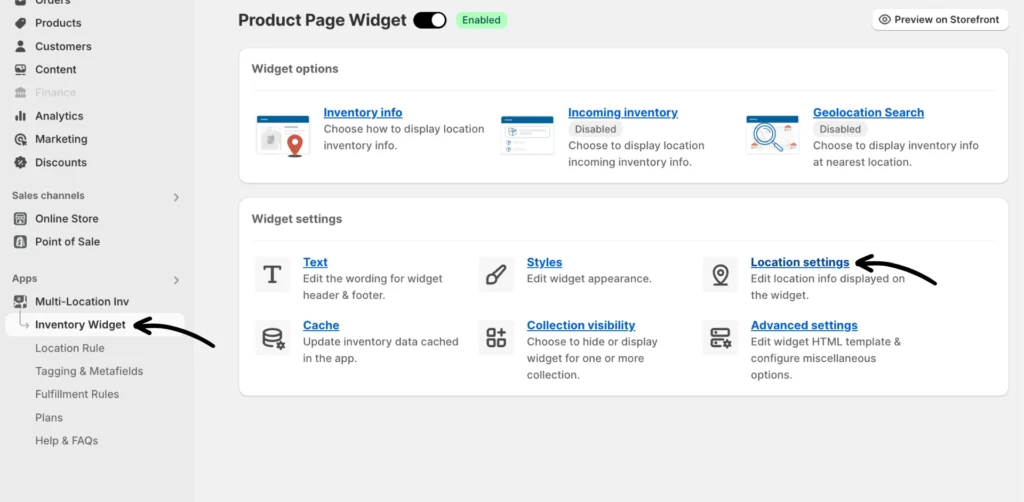
Step 1: From the app, you can access the location settings page by clicking Inventory Widget > Location settings.
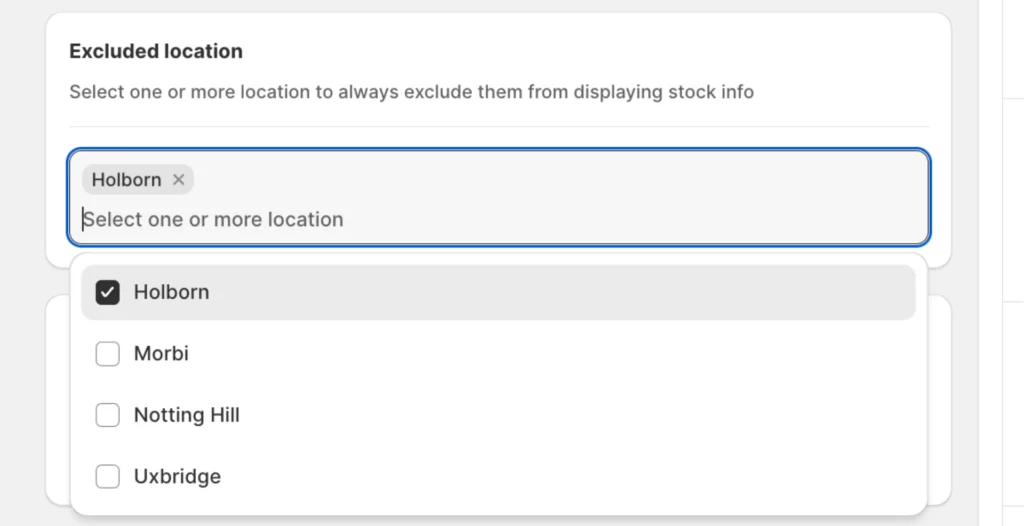
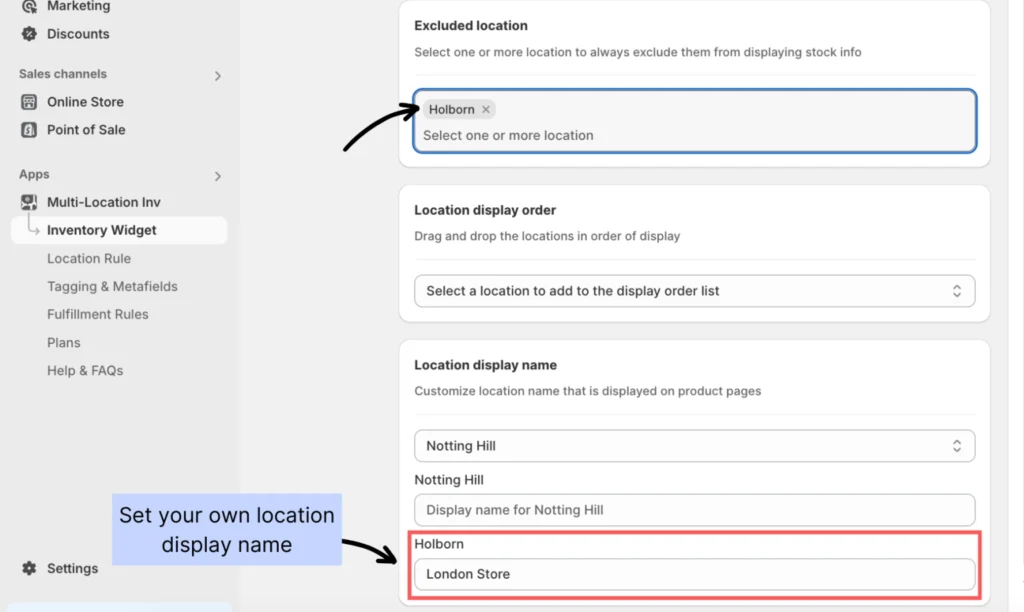
Step 2: Under Location settings, navigate to “Excluded location.” Choose one or more locations you wish to hide from the widget and Save your changes.
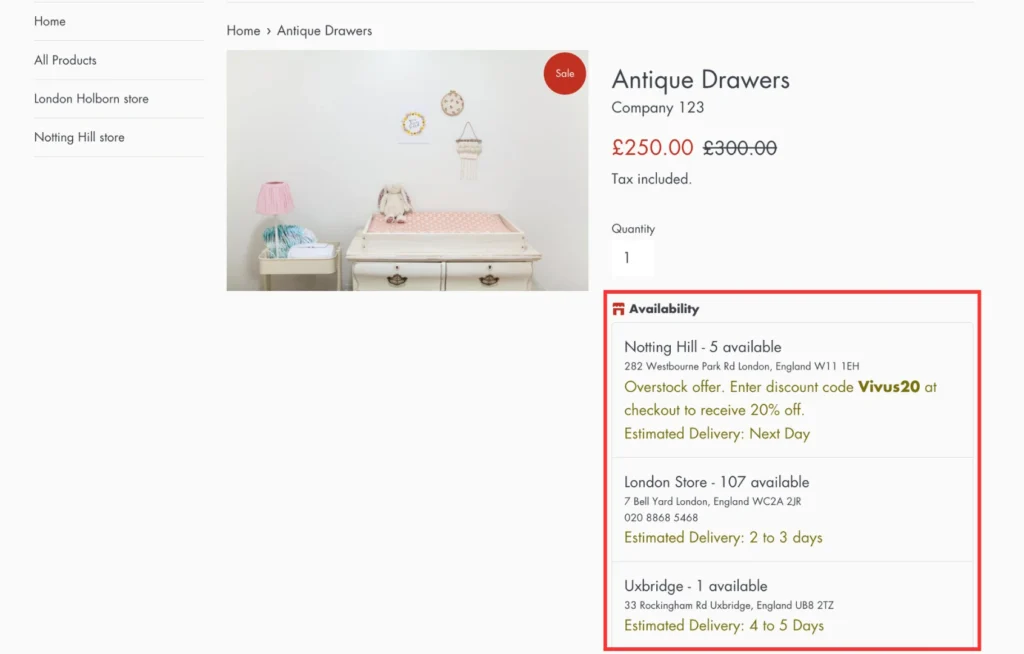
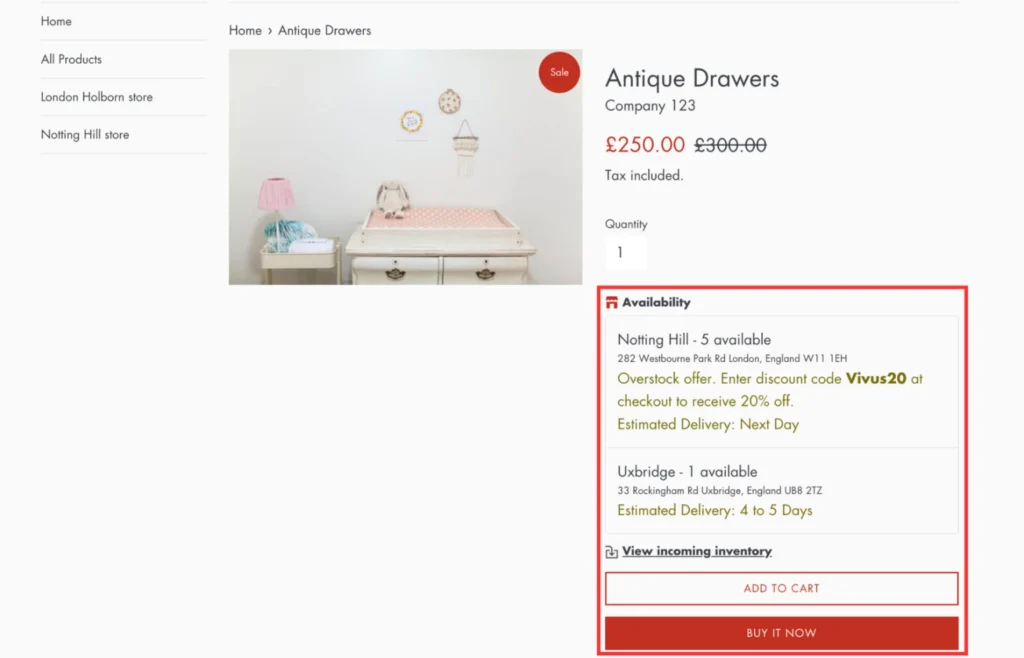
Storefront view before excluding a location:
Choosing a location to exclude/hide:
Storefront view after excluding a location:
If you encounter any issues, don’t hesitate to contact the support team for further assistance.